

Calc
การให้คะแนน 114 รายการ
)
ภาพรวม
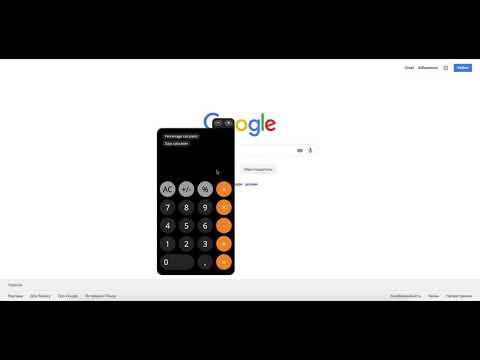
Calc is a simple online calculator that saves your time. You can use Calc right in your browser without opening any additional tabs.
Calc is a simple online calculator that saves your time. You can use Calc right in your browser without opening any additional tabs. Calc is a good online calculator for work, home or study. Simply for every calculation. Count wherever. [Important!] Access to site data is necessary to open the calculator in content or window mode, and to autorun Calc at sites you specify (the list of specified sites could be set in the settings). Calc does not collect your data and does not transmit it. There are several reasons to download and install Calc: 1. Basic calculator. Simple and clear calculator for ordinary calculations. 2. Handy percent calculator. You can find out how many percent is the number X of number Y. Which number corresponds to X percent of the number Y. Add or subtract the percentages from the number. 3. Days calculator. With our day calculator you will be able to calculate the period of time with an accuracy of one second. Calc extension uses Google Analytics service to collect statistics on extension usage. If you do not want to transfer data, install the official blocker application from Google or any of its analogues. The official blocker of Google Analytics from Google is http://tools.google.com/dlpage/gaoptout. We support Chrome Online Store policy on minimal rational use of permissions: 1. Cookies - Auto-detection of language and country. 2. Notifications - Timer Alarms. 3. Storage - Auto saving extension settings. - Calc's history. 4. WebNavigation - auto-start calculator on the set sites (you can select websites list in the settings) 5. ContextMenus - Open the calculator in content or window mode. 6. Tabs - Open Calc in a new tab.
4.6 จาก 5 คะแนนการให้คะแนน 114 รายการ
รายละเอียด
- รุ่น1.0.14
- อัปเดตแล้ว28 กรกฎาคม 2564
- นำเสนอโดยCalc
- ขนาด423KiB
- ภาษา5 ภาษา
- นักพัฒนาซอฟต์แวร์
อีเมล
andrew.efimenko@hotmail.com - ไม่ใช่ผู้ค้านักพัฒนาซอฟต์แวร์รายนี้ไม่ได้ระบุว่าตัวเองเป็นผู้ค้า สำหรับผู้บริโภคในสหภาพยุโรป โปรดทราบว่าสิทธิของผู้บริโภคไม่มีผลกับสัญญาระหว่างคุณกับนักพัฒนาซอฟต์แวร์รายนี้
ความเป็นส่วนตัว

Calc ได้เปิดเผยข้อมูลต่อไปนี้ซึ่งเกี่ยวกับการเก็บรวบรวมและการใช้ข้อมูลของคุณ
Calc จะจัดการสิ่งต่อไปนี้
นักพัฒนาซอฟต์แวร์รายนี้ประกาศว่าข้อมูลของคุณจะ
- ไม่ถูกขายไปยังบุคคลที่สามหากไม่ใช่ Use Case ที่ได้รับอนุมัติ
- ไม่ถูกใช้หรือถูกโอนเพื่อวัตถุประสงค์ที่ไม่เกี่ยวข้องกับฟังก์ชันการทำงานหลักของรายการ
- ไม่ถูกใช้หรือถูกโอนเพื่อพิจารณาความน่าเชื่อถือทางเครดิตหรือเพื่อวัตถุประสงค์การให้สินเชื่อ
สนับสนุน
โปรดเปิดหน้านี้บนเบราว์เซอร์ในเดสก์ท็อป หากมีข้อสงสัย ต้องการขอคำแนะนำ หรือประสบปัญหาใดๆ