

Calc
평점 114개
)
개요
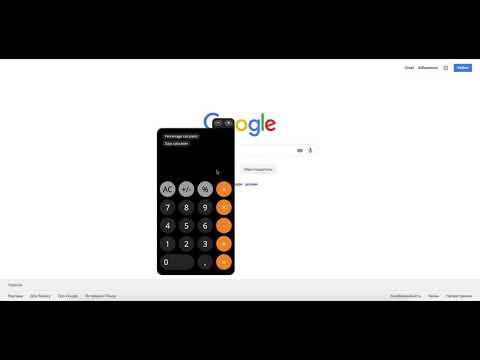
Calc is a simple online calculator that saves your time. You can use Calc right in your browser without opening any additional tabs.
Calc is a simple online calculator that saves your time. You can use Calc right in your browser without opening any additional tabs. Calc is a good online calculator for work, home or study. Simply for every calculation. Count wherever. [Important!] Access to site data is necessary to open the calculator in content or window mode, and to autorun Calc at sites you specify (the list of specified sites could be set in the settings). Calc does not collect your data and does not transmit it. There are several reasons to download and install Calc: 1. Basic calculator. Simple and clear calculator for ordinary calculations. 2. Handy percent calculator. You can find out how many percent is the number X of number Y. Which number corresponds to X percent of the number Y. Add or subtract the percentages from the number. 3. Days calculator. With our day calculator you will be able to calculate the period of time with an accuracy of one second. Calc extension uses Google Analytics service to collect statistics on extension usage. If you do not want to transfer data, install the official blocker application from Google or any of its analogues. The official blocker of Google Analytics from Google is http://tools.google.com/dlpage/gaoptout. We support Chrome Online Store policy on minimal rational use of permissions: 1. Cookies - Auto-detection of language and country. 2. Notifications - Timer Alarms. 3. Storage - Auto saving extension settings. - Calc's history. 4. WebNavigation - auto-start calculator on the set sites (you can select websites list in the settings) 5. ContextMenus - Open the calculator in content or window mode. 6. Tabs - Open Calc in a new tab.
5점 만점에 4.6점평점 114개
세부정보
- 버전1.0.14
- 업데이트됨2021년 7월 28일
- 제공Calc
- 크기423KiB
- 언어언어 5개
- 개발자
이메일
andrew.efimenko@hotmail.com - 비판매자판매자로 식별되지 않은 개발자입니다. 유럽 연합에 거주하는 소비자의 경우, 이 개발자와 체결한 계약에 대해서는 소비자 권리가 적용되지 않을 수 있음을 유의해야 합니다.
개인정보 보호

개발자가 사용자 데이터에 관해 다음과 같이 선언했습니다
- 승인된 사용 사례를 제외하고 서드 파티에 판매하지 않음
- 항목의 핵심 기능과 관련 없는 목적으로 사용하거나 전송하지 않음
- 신용도 판단 또는 대출 목적으로 사용하거나 전송하지 않음
지원
질문, 제안 또는 문제와 관련하여 도움이 필요하면 데스크톱 브라우저에서 이 페이지를 여세요.