

Calc
114 rating
)
Ringkasan
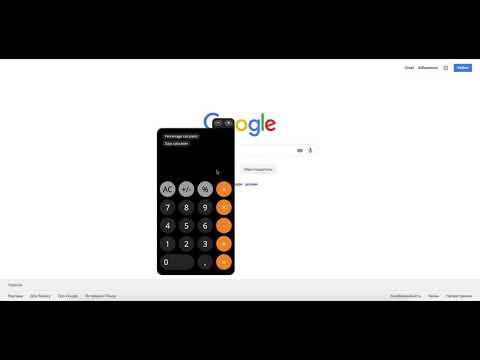
Calc is a simple online calculator that saves your time. You can use Calc right in your browser without opening any additional tabs.
Calc is a simple online calculator that saves your time. You can use Calc right in your browser without opening any additional tabs. Calc is a good online calculator for work, home or study. Simply for every calculation. Count wherever. [Important!] Access to site data is necessary to open the calculator in content or window mode, and to autorun Calc at sites you specify (the list of specified sites could be set in the settings). Calc does not collect your data and does not transmit it. There are several reasons to download and install Calc: 1. Basic calculator. Simple and clear calculator for ordinary calculations. 2. Handy percent calculator. You can find out how many percent is the number X of number Y. Which number corresponds to X percent of the number Y. Add or subtract the percentages from the number. 3. Days calculator. With our day calculator you will be able to calculate the period of time with an accuracy of one second. Calc extension uses Google Analytics service to collect statistics on extension usage. If you do not want to transfer data, install the official blocker application from Google or any of its analogues. The official blocker of Google Analytics from Google is http://tools.google.com/dlpage/gaoptout. We support Chrome Online Store policy on minimal rational use of permissions: 1. Cookies - Auto-detection of language and country. 2. Notifications - Timer Alarms. 3. Storage - Auto saving extension settings. - Calc's history. 4. WebNavigation - auto-start calculator on the set sites (you can select websites list in the settings) 5. ContextMenus - Open the calculator in content or window mode. 6. Tabs - Open Calc in a new tab.
4,6 dari 5114 rating
Detail
- Versi1.0.14
- Diupdate28 Juli 2021
- Ditawarkan olehCalc
- Ukuran423KiB
- Bahasa5 bahasa
- Developer
Email
andrew.efimenko@hotmail.com - Non-pedagangDeveloper ini tidak mengidentifikasi diri sebagai pedagang. Bagi konsumen di Uni Eropa, perlu diperhatikan bahwa hak konsumen tidak berlaku untuk kontrak antara Anda dan developer ini.
Privasi

Calc telah mengungkapkan informasi berikut ini terkait pengumpulan dan penggunaan data Anda.
Calc menangani hal berikut:
Developer ini menyatakan bahwa data Anda
- Tidak dijual ke pihak ketiga, di luar kasus penggunaan yang disetujui
- Tidak digunakan atau ditransfer untuk tujuan yang tidak terkait dengan fungsi inti item
- Tidak digunakan atau ditransfer untuk menentukan kelayakan kredit atau untuk tujuan pinjaman
Dukungan
Untuk mendapatkan bantuan terkait pertanyaan, saran, atau masalah, buka halaman ini di browser desktop Anda