

Cadence - Screen Recorder & Voice Changer Tool
16 ratings
)
Overview
Free, private recorder with AI-powered voice and accent changes. Capture and edit instantly, all without creating an account.
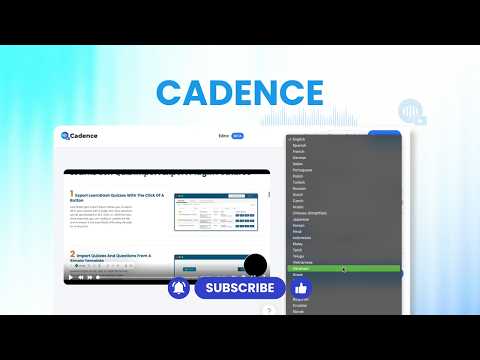
Record your screen, and let AI handle the rest. Cadence is an AI-powered screen recorder that automatically improves your recordings after you hit stop. Most screen recorders simply capture your screen. Cadence can enhance your voice, reduce background noise, transform your accent, generate transcripts and summaries, create screenshots, translate your recording into multiple languages, and even generate an AI avatar version of your presentation. The result? Videos that are clearer, more professional, and easier to share, without spending hours editing. ━━━━━━━━━━━━━━━━━━━━ Why People Choose Cadence You shouldn't need: • A studio-quality microphone • A perfect accent • A quiet room • Video editing skills • Multiple tools to create a professional recording. Cadence helps you sound clear, look polished, and share knowledge faster. ━━━━━━━━━━━━━━━━━━━━ Everything You Need To Create Better Recordings Screen Recording - Record your browser tab, application window, full screen, camera, or any combination of the above. - AI Voice & Accent Enhancement: Transform your recording after capture with AI-powered voice enhancement, accent transformation, and background noise removal. - AI Translation & Dubbing: Translate recordings into 25+ languages and reach global audiences without recording multiple versions. - Transcripts & Summaries: Instantly generate transcripts, meeting notes, summaries, action items, and searchable documentation from your recordings. - Screenshot Generation: Turn any recording into ready-to-use screenshots for guides, tutorials, support documentation, bug reports, and knowledge bases. - AI Avatars: Create AI-generated presenter videos without recording new footage. - Recording Tools: Draw on screen, highlight cursor movements, blur sensitive information, and guide viewers through complex workflows more clearly. - Share Anywhere: Save locally, upload to Google Drive, or generate private and shareable video links. ━━━━━━━━━━━━━━━━━━━━ Built For: - Product demos - Customer support videos - Bug reports - Sales walkthroughs - Team updates - Tutorials - Training content - Internal documentation - Async communication ━━━━━━━━━━━━━━━━━━━━ Record once. Use it as a video, documentation, screenshots, or use it in another language. That's Cadence.
4.9 out of 516 ratings
Details
- Version3.3.3
- UpdatedJuly 31, 2026
- Offered bysubscription.webcube
- Size16.39MiB
- Languages18 languages
- Developer
Email
subscription.webcube@gmail.com - Non-traderThis developer has not identified itself as a trader. For consumers in the European Union, please note that consumer rights do not apply to contracts between you and this developer.
Privacy

This developer declares that your data is
- Not being sold to third parties, outside of the approved use cases
- Not being used or transferred for purposes that are unrelated to the item's core functionality
- Not being used or transferred to determine creditworthiness or for lending purposes
Support
For help with questions, suggestions, or problems, visit the developer's support site