

ByEar

Overview
Transpose, slow down, mark, and loop YouTube videos by ear.
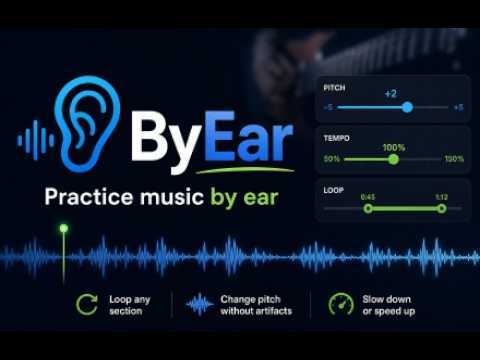
ByEar is a 100% free practice tool for musicians who learn songs, solos, phrases, podcasts, and lessons directly in the browser. It adds a floating control panel to supported media pages so you can change pitch, adjust tempo, save markers, loop sections, and jump back to important moments without leaving the song. You cna see your markers over your YouTube video timeline Use ByEar to slow down a difficult solo, transpose a track to your vocal range, mark the start of each song in a long podcast, loop a chorus, or save timestamps for phrases you want to revisit later. You can also use it to save bookmarcs of long videos or podcasts, or simply interesting parts of a video or sentences. Key features: Pitch shifting from -12 to +12 semitones Tempo control from 25% to 200% Saved numbered markers per media item Editable marker names and timestamps Looping between markers Play, pause, rewind, and fast-forward controls Keyboard shortcuts for faster practice Drag-and-drop floating panel Recent listening history with thumbnails and links Shareable ByEar links for supported pages Local settings saved automatically in your browser Hotkeys: M: add a marker at the current time 1-9: jump to a saved marker Space: play or pause Backspace: rewind L: toggle loop around the current marker range Supported pages: YouTube YouTube Music Apple Music Web ByEar processes audio locally in your browser using Chrome extension APIs. Your markers, settings, and history are stored locally with Chrome storage.
0 out of 5No ratings
Details
- Version0.1.0
- UpdatedMay 5, 2026
- Offered bymatias.maco
- Size59.71KiB
- LanguagesEnglish (United States)
- Developer
Email
matias.maco@gmail.com - Non-traderThis developer has not identified itself as a trader. For consumers in the European Union, please note that consumer rights do not apply to contracts between you and this developer.
Privacy

ByEar has disclosed the following information regarding the collection and usage of your data. More detailed information can be found in the developer's privacy policy.
ByEar handles the following:
This developer declares that your data is
- Not being sold to third parties, outside of the approved use cases
- Not being used or transferred for purposes that are unrelated to the item's core functionality
- Not being used or transferred to determine creditworthiness or for lending purposes