

Bunny Book
1 rating
)
Overview
A cozy multi-note notepad/book.
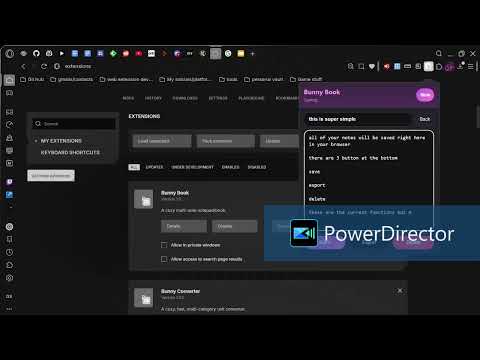
Bunny Book Bunny Book is a cozy, lightweight browser extension that acts like a small multi-note notepad inside your toolbar. It lets you create, search, edit, delete, and export notes. Notes are saved to your browser using extension storage (no accounts, no syncing logic in this project). What it does - Creates and stores multiple notes (title + body) - Shows a searchable list of notes - Opens any note for editing - Autosaves edits shortly after you type - Manually saves with a Save button or keyboard shortcut - Deletes notes (with confirmation) - Exports the current note as a `.txt` file Notes are stored locally via the browser extension storage API (`chrome.storage.local`) and persist between browser restarts. 2. Open Bunny Book - Click the Bunny Book extension icon to open the popup. 3. Create a note - Click New (top right), or Create a note on the empty state. 4. Edit - Type a Title and Body - Bunny Book autosaves after a short pause while typing. - Click Save to save immediately. 5. Search - In the list view, type in the Search notes… box to filter notes by title or body text. 6. Export - Open a note, then click Export to download a `.txt` file of the note body. 7. Delete - Open a note and click Delete. You’ll be asked to confirm. Keyboard shortcuts Ctrl + S (Windows/Linux) / Cmd + S (macOS): Save the current note Esc: Return to the notes list (when editing) Notes / behavior details - Autosave only runs for an existing note (after you create one with New). - Timestamps shown in the list reflect the note’s last update time. - Export uses a safe filename derived from the note title (invalid filename characters are replaced).
5 out of 51 rating
Details
- Version1.0
- UpdatedMay 11, 2026
- Offered byxavierfields89
- Size11.96KiB
- LanguagesEnglish
- Developerxavier fields
Tombstone Way Springdale, WA 99173 USEmail
bunnycontact.me@gmail.com - Non-traderThis developer has not identified itself as a trader. For consumers in the European Union, please note that consumer rights do not apply to contracts between you and this developer.
Privacy

This developer declares that your data is
- Not being sold to third parties, outside of the approved use cases
- Not being used or transferred for purposes that are unrelated to the item's core functionality
- Not being used or transferred to determine creditworthiness or for lending purposes
Support
For help with questions, suggestions, or problems, please open this page on your desktop browser