


Overview
Void Xero sales invoices in bulk, even paid ones, with a backup CSV and a dry run first.
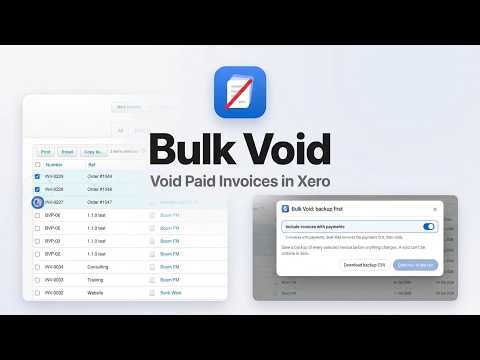
Can you bulk void invoices in Xero? Not sales invoices: Xero voids them one at a time. Bulk Void voids the invoices you select in one run, paid ones included. Works in the standard Xero web app (Australia, New Zealand, the UK, the US and elsewhere), in Chrome. Paid invoices take longer: you first remove each payment by hand, then void. After a duplicate import, an integration that created invoices twice, or a migration, that means hundreds of clicks. Bulk Void voids multiple invoices in one run, in your own browser. How it works 1. Open Sales, Invoices in Xero (the Awaiting Payment or Paid tab) and tick the invoices you want to void. 2. Click Bulk Void. It saves a backup CSV of every selected invoice first. 3. Check the dry run. It lists every invoice and what will happen to it. Invoices with payments are included when "Include invoices with payments" is on; you confirm that their payments will be removed. 4. Type the count to confirm. Bulk Void opens each invoice in the same tab, removes its payments if there are any (Xero's Remove & Redo), and voids it, one after another, in your logged-in Xero session. You don't click anything, and the red Stop button ends the run after the current invoice. It finishes with a report you can download. Paid invoices - Each removed payment is listed in the report (date, amount, bank account, reference), so you can enter it again if you need to. - The bank lines go back to unreconciled in Xero; reconcile or delete them afterwards. - Bulk Void checks every payment on an invoice before it removes the first one. If any of them is a batch payment, a credit note, an overpayment or a prepayment, it leaves the whole invoice alone and tells you why. Void or delete? Xero already lets you delete Draft and Awaiting Approval invoices in bulk. Once an invoice is approved, it can only be voided, and only one by one. That is the step Bulk Void does for you. Voided invoices stay in Xero with the status Void, so your audit trail is kept. How to find them: https://bulkvoid.app/xero-find-voided-invoices Common uses - Undo a duplicate or wrong invoice import, even after payments were matched to it. - Clean up invoices an app or integration created by mistake. - Void old invoices before a migration or year end. Built for an action you can't undo - Backup first: a run won't start until the CSV is saved. - Dry run: you see the full list before anything changes. - Stays in your browser: no Xero API connection and no analytics. Invoice data stays in your browser and on your computer; only the licence check reaches our licence server. - Stops when unsure: it stops at the first screen it doesn't recognise, or when Xero refuses a change (for example a lock date), and tells you where. Pricing The free version voids 5 invoices so you can try it on your own data. After that, a one-time licence is $29 per Xero organisation (founding price; regular price $49), on any number of computers; bookkeepers can get 5 organisations for $99. Tax is added at checkout where it applies, and there's a 14-day refund. Step-by-step guides: https://bulkvoid.app/xero-void-multiple-invoices Bulk Void for Xero is an independent tool. It is not affiliated with, endorsed by or sponsored by Xero Limited. Xero is a trademark of Xero Limited.
0 out of 5No ratings
Details
- Version1.1.2
- UpdatedNovember 13, 2026
- FeaturesOffers in-app purchases
- Size37.75KiB
- LanguagesEnglish
- DeveloperIrem BicerWebsite
Susuz, Sancak Cad Yenimahalle, Ankara 06105 TREmail
bulkvoidsupport@gmail.comPhone
+90 507 996 35 62 - TraderThis developer has identified itself as a trader per the definition from the European Union and committed to only offer products or services that comply with EU laws.
Privacy

Bulk Void for Xero has disclosed the following information regarding the collection and usage of your data. More detailed information can be found in the developer's privacy policy.
Bulk Void for Xero handles the following:
This developer declares that your data is
- Not being sold to third parties, outside of the approved use cases
- Not being used or transferred for purposes that are unrelated to the item's core functionality
- Not being used or transferred to determine creditworthiness or for lending purposes
Support
For help with questions, suggestions, or problems, visit the developer's support site