Item logo image for Bulk Select Google Photos

Bulk Select Google Photos

Featured
4.2(

16 ratings

)
ExtensionTools2,000 users
Item media 3 (screenshot) for Bulk Select Google Photos
Item media 4 (screenshot) for Bulk Select Google Photos
Item video thumbnail
Item media 2 (screenshot) for Bulk Select Google Photos
Item media 3 (screenshot) for Bulk Select Google Photos
Item media 4 (screenshot) for Bulk Select Google Photos
Item video thumbnail
Item media 2 (screenshot) for Bulk Select Google Photos
Item video thumbnail
Item media 2 (screenshot) for Bulk Select Google Photos
Item media 3 (screenshot) for Bulk Select Google Photos
Item media 4 (screenshot) for Bulk Select Google Photos

Overview

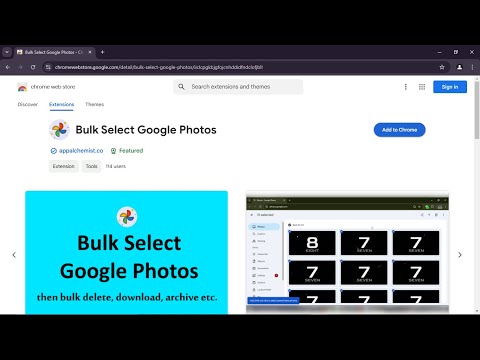
Select multiple photos on Google Photos with just one click and then bulk delete, download, archive, share etc.

Bulk Select Google Photos is a powerful extension that enhances your experience on Google Photos by allowing you to easily select multiple photos at once for efficient management. Key Features: * Bulk Selection: Quickly select multiple photos with a single click. * Easy Management: Easily download, archive, share or delete google photos. * User-Friendly Interface: Provides visual feedback by displaying an 'ON' badge during photo selection and an 'OFF' badge when not. * Privacy: Works 100% locally and only on photos.google.com. Nothing leaves your browser. How to Use: 1. Open Google Photos: Navigate to photos.google.com in your browser. 2. Click the Extension Icon: Click on the Bulk Select Google Photos extension icon to start selecting photos. 3. Scroll Through Your Photos: As you scroll, the extension will automatically select photos for you. 4. Pause Selection: Click the extension icon again to pause the selection process. 5. Resume Selection: Click the icon once more to resume selecting photos.

Details

  • Version
    1.40
  • Updated
    November 24, 2025
  • Offered by
    App Alchemist
  • Size
    39.23KiB
  • Languages
    English (United States)
  • Developer
    Email
    appalchemist.anyone691@passinbox.com
  • Non-trader
    This developer has not identified itself as a trader. For consumers in the European Union, please note that consumer rights do not apply to contracts between you and this developer.

Privacy

The developer has disclosed that it will not collect or use your data.

This developer declares that your data is

  • Not being sold to third parties, outside of the approved use cases
  • Not being used or transferred for purposes that are unrelated to the item's core functionality
  • Not being used or transferred to determine creditworthiness or for lending purposes

Support

Related

Google Bulk Photos Deleter

3.0

Automatically select and delete photos from Google Photos

Google Photos Bulk Downloader & Deleter

3.4

Automatically downloads and/or deletes all photos and videos from Google Photos.

Delete all Google Photos (One-click)—Chrome Extension

5.0

Select & Delete all or Multiple Google Photos at Once (Securely)

1 Click Asset Search

5.0

Search free and paid multimedia assets such as Images, Vectors, Videos, SFXs, Models etc. across multiple sites with just 1 click.

Google Photos Bulk Delete

5.0

Bulk delete all photos in Google Photos with ease.

Google Photos Cleaner

4.3

Easily find and clean up your Google Photos with powerful filters for date range, file orientation, and media type.

Google Photos Bulk Delete Chrome Extension

4.9

This extension can automatically bulk delete your Google Photos, since Google itself does not provide this feature.

Delete Google Photos

5.0

Easily delete Google Photos! Delete all Google Photos fast: erase pics, clear storage and free up space when storage full.

Google Photos Video Exporter

3.0

Export all your videos data of Google Photos to a XLS/CSV file

Google Photos Album Batch Downloader

5.0

Batch download Google Photos albums, including all photos and videos in the album.

Google Photos Delete Tool

4.8

Bulk delete photos from Google Photos

Transfer Google Photos to another Account

0.0

This extension lets you directly transfer photos from one Google Photos to another account with no download and upload.

Google Bulk Photos Deleter

3.0

Automatically select and delete photos from Google Photos

Google Photos Bulk Downloader & Deleter

3.4

Automatically downloads and/or deletes all photos and videos from Google Photos.

Delete all Google Photos (One-click)—Chrome Extension

5.0

Select & Delete all or Multiple Google Photos at Once (Securely)

1 Click Asset Search

5.0

Search free and paid multimedia assets such as Images, Vectors, Videos, SFXs, Models etc. across multiple sites with just 1 click.

Google Photos Bulk Delete

5.0

Bulk delete all photos in Google Photos with ease.

Google Photos Cleaner

4.3

Easily find and clean up your Google Photos with powerful filters for date range, file orientation, and media type.

Google Photos Bulk Delete Chrome Extension

4.9

This extension can automatically bulk delete your Google Photos, since Google itself does not provide this feature.

Delete Google Photos

5.0

Easily delete Google Photos! Delete all Google Photos fast: erase pics, clear storage and free up space when storage full.

Google apps