


Overview
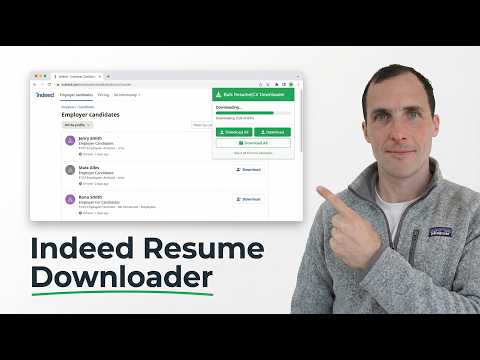
Bulk download resumes and CVs from your Indeed.com applicant lists. Save time by automating repetitive downloads with one click.
Save hours of manual work downloading resumes from Indeed.com. This extension lets employers bulk download all applicant resumes from any job posting's candidate list with a single click. Key Features: • One-click bulk download of all resumes from a job's applicant list • Download individual resumes from applicant detail pages • Automatic duplicate detection - skips already-downloaded applicants • Export applicant data to CSV • Real-time progress tracking with status updates • Built-in rate limiting to respect Indeed's servers Privacy First: • No data is collected or sent to external servers • All processing happens locally in your browser • Applicant tracking data is stored only in your browser's local storage • Clear all data anytime with one click • Built for recruiters and hiring managers who need to efficiently manage large volumes of applicants on Indeed.com. This extension is not affiliated with, endorsed by, or sponsored by Indeed.com or Indeed, Inc. "Indeed" is a trademark of Indeed, Inc.
5 out of 52 ratings
Details
- Version1.1.0
- UpdatedAugust 6, 2026
- Size58.62KiB
- LanguagesEnglish
- DeveloperWebsite
Email
hello@crewhr.com - Non-traderThis developer has not identified itself as a trader. For consumers in the European Union, please note that consumer rights do not apply to contracts between you and this developer.
Privacy

Bulk Resume/CV Downloader for Indeed has disclosed the following information regarding the collection and usage of your data. More detailed information can be found in the developer's privacy policy.
Bulk Resume/CV Downloader for Indeed handles the following:
This developer declares that your data is
- Not being sold to third parties, outside of the approved use cases
- Not being used or transferred for purposes that are unrelated to the item's core functionality
- Not being used or transferred to determine creditworthiness or for lending purposes
Support
For help with questions, suggestions, or problems, please open this page on your desktop browser