

Bulk Move Events · Dark Mode · Task Counter | SUPER for Google Calendar™

Overview
Move multiple events & appointments at once. Bulk drag-and-drop, dark mode, task counter & quick done for Google Calendar.
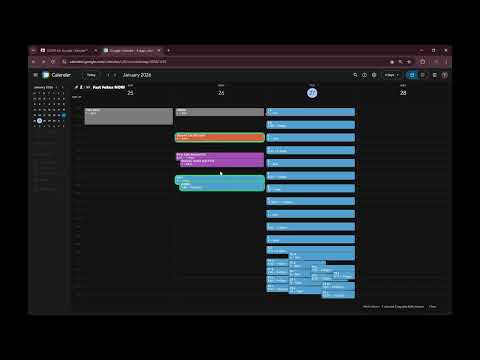
🔥 SUPER for Google Calendar™ Move multiple events & appointments at once. Bulk drag-and-drop, beautiful dark mode, task counter & quick done for Google Calendar. ✅ Multi Move (Move many events at once) //Google Approved Multiselect events and move them as a group in Google Calendar (Move multiple Tasks) with Shift + mouse. 1. Shift + Drag to draw a lasso and select multiple events 2. Shift + Drag on one event to move all selected events together ✅ Task Counter & Motivation Stay on top of your workload — no sign-up required. Grey = Done All other colors = 1 active task Live counter directly in Google Calendar Motivation messages based on your Active / Done ratio ✅ Arrow Navigation (Drag-safe) Move through time without breaking your flow. Arrow navigation still works during drag & drop Makes precise event positioning faster and easier ✅ Clean Workspace A calmer calendar, less noise. Hides upgrade promotions Removes app bar and distracting UI elements Focus on what matters: your schedule ✅ Beautiful Dark Mode A polished dark experience for Google Calendar. Works best with standard calendar colors (DISABLE system darkmode) Smooth, visually balanced dark theme Fixed color inconsistencies of the default dark mode Improved contrast and event readability Perfect for late-night planning and eye-friendly daily use Compatibility Designed specifically for Google Calendar Relies on Google Calendar’s DOM structure (Updates may be required if Google changes layouts or colors)
5 out of 51 rating
Details
- Version3.2.4
- UpdatedMarch 20, 2026
- FeaturesOffers in-app purchases
- Size158KiB
- LanguagesEnglish
- DeveloperWebsite
Email
trixsuppor@gmail.com - Non-traderThis developer has not identified itself as a trader. For consumers in the European Union, please note that consumer rights do not apply to contracts between you and this developer.
Privacy

This developer declares that your data is
- Not being sold to third parties, outside of the approved use cases
- Not being used or transferred for purposes that are unrelated to the item's core functionality
- Not being used or transferred to determine creditworthiness or for lending purposes
Support
For help with questions, suggestions, or problems, please open this page on your desktop browser