

Bulk Media Downloader

Tổng quan
Grab and download media (image and video) sources by monitoring network (like FlashGot)
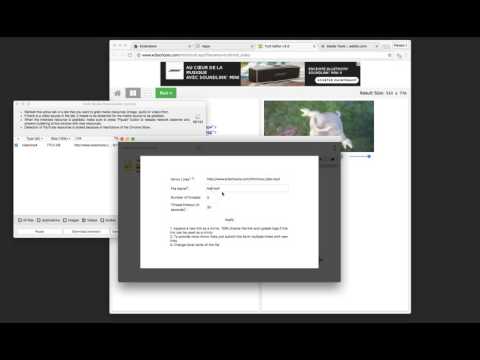
The "Bulk Media Downloader" extension is a downloader that collects all sorts of media file resources (images, audio, and video) and allows you to batch download them with the default download manager of your browser or a custom download manager. ----- Please note that Bulk Media Downloader does not grab YouTube links. This is NOT a YouTube downloader ----- With this extension, you can bulk download media files. Just open the grabber window by pressing the toolbar button. Now allow the extension to fetch media resources. If a media file is in a tab that has already been loaded, you need to refresh the tab for the media link to appear in the grabber window. After the desired media link is detected, press the pause button to ask the extension to stop monitoring your network In oppose to the other similar extensions, this extension has zero impact on your browser performance when the grabber window is closed. Monitoring the network resources only occurs when the grabber window is open and there is an "R" badge notification in the toolbar area. ---- Please note that Bulk Media Downloader is not responsible for media content that you download. We suggest checking the media copyright before downloading them. Change Log: version 0.1.6: 1. BMD now resolves filename and filesize from the request itself 2. Filenaming is improved 3. BMD now scrolls to the last fetched resource when the window is open version 0.1.8: 1. It is now possible to download all the already loaded images on web pages using the grabber tool added to the right-click context menu over the toolbar button. version 0.2.0 1. 16.png and 32.png is updated to have better visibility in dark themes (like incognito mode) 2. "Download all Images" extension is updated to the latest version (downloads all images in a ZIP archive) version 0.2.1 1. It is now possible to send downloading jobs to an external download manager 2. A new selector to select resources from the current tab is added.
3,8/5176 lượt xếp hạng
Chi tiết
- Phiên bản0.3.3
- Đã cập nhật5 tháng 1, 2026
- Nhà cung cấpInBasic
- Kích thước103KiB
- Ngôn ngữEnglish
- Nhà phát triển
Email
inb.cor@gmail.com - Người bán phi thương mạiNhà phát triển này không tự nhận mình là người bán. Đối với người tiêu dùng ở Liên minh Châu Âu, xin lưu ý rằng các quyền của người tiêu dùng không được áp dụng trong hợp đồng giữa bạn và nhà phát triển này.
Quyền riêng tư

Nhà phát triển này tuyên bố rằng dữ liệu của bạn
- Không được bán cho bên thứ ba, ngoài những trường hợp sử dụng đã được phê duyệt
- Không được sử dụng hoặc chuyển nhượng cho các mục đích không liên quan đến chức năng chính của mặt hàng
- Không được sử dụng hoặc chuyển nhượng để xác định khả năng thanh toán nợ hoặc phục vụ mục đích cho vay
Hỗ trợ
Nếu bạn có câu hỏi, ý kiến đề xuất hoặc gặp vấn đề, hãy truy cập trang web hỗ trợ của nhà phát triển để được trợ giúp