


ภาพรวม
Grab and download media (image and video) sources by monitoring network (like FlashGot)
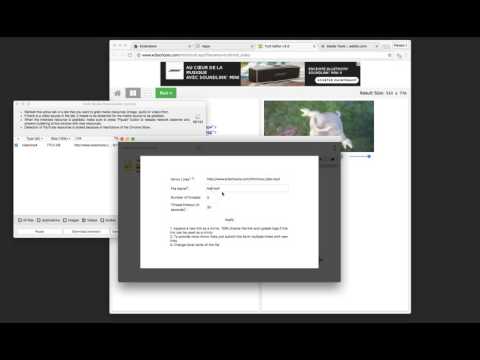
The "Bulk Media Downloader" extension is a downloader that collects all sorts of media file resources (images, audio, and video) and allows you to batch download them with the default download manager of your browser or a custom download manager. ----- Please note that Bulk Media Downloader does not grab YouTube links. This is NOT a YouTube downloader ----- With this extension, you can bulk download media files. Just open the grabber window by pressing the toolbar button. Now allow the extension to fetch media resources. If a media file is in a tab that has already been loaded, you need to refresh the tab for the media link to appear in the grabber window. After the desired media link is detected, press the pause button to ask the extension to stop monitoring your network In oppose to the other similar extensions, this extension has zero impact on your browser performance when the grabber window is closed. Monitoring the network resources only occurs when the grabber window is open and there is an "R" badge notification in the toolbar area. ---- Please note that Bulk Media Downloader is not responsible for media content that you download. We suggest checking the media copyright before downloading them. Change Log: version 0.1.6: 1. BMD now resolves filename and filesize from the request itself 2. Filenaming is improved 3. BMD now scrolls to the last fetched resource when the window is open version 0.1.8: 1. It is now possible to download all the already loaded images on web pages using the grabber tool added to the right-click context menu over the toolbar button. version 0.2.0 1. 16.png and 32.png is updated to have better visibility in dark themes (like incognito mode) 2. "Download all Images" extension is updated to the latest version (downloads all images in a ZIP archive) version 0.2.1 1. It is now possible to send downloading jobs to an external download manager 2. A new selector to select resources from the current tab is added.
3.8 จาก 5 คะแนนการให้คะแนน 176 รายการ
รายละเอียด
- รุ่น0.3.3
- อัปเดตแล้ว5 มกราคม 2569
- นำเสนอโดยInBasic
- ขนาด103KiB
- ภาษาEnglish
- นักพัฒนาซอฟต์แวร์
อีเมล
inb.cor@gmail.com - ไม่ใช่ผู้ค้านักพัฒนาซอฟต์แวร์รายนี้ไม่ได้ระบุว่าตัวเองเป็นผู้ค้า สำหรับผู้บริโภคในสหภาพยุโรป โปรดทราบว่าสิทธิของผู้บริโภคไม่มีผลกับสัญญาระหว่างคุณกับนักพัฒนาซอฟต์แวร์รายนี้
ความเป็นส่วนตัว
นักพัฒนาซอฟต์แวร์รายนี้ประกาศว่าข้อมูลของคุณจะ
- ไม่ถูกขายไปยังบุคคลที่สามหากไม่ใช่ Use Case ที่ได้รับอนุมัติ
- ไม่ถูกใช้หรือถูกโอนเพื่อวัตถุประสงค์ที่ไม่เกี่ยวข้องกับฟังก์ชันการทำงานหลักของรายการ
- ไม่ถูกใช้หรือถูกโอนเพื่อพิจารณาความน่าเชื่อถือทางเครดิตหรือเพื่อวัตถุประสงค์การให้สินเชื่อ
สนับสนุน
โปรดไปที่เว็บไซต์สนับสนุนของนักพัฒนาซอฟต์แวร์ หากมีข้อสงสัย ต้องการขอคำแนะนำ หรือพบปัญหาใดๆ