


Overview
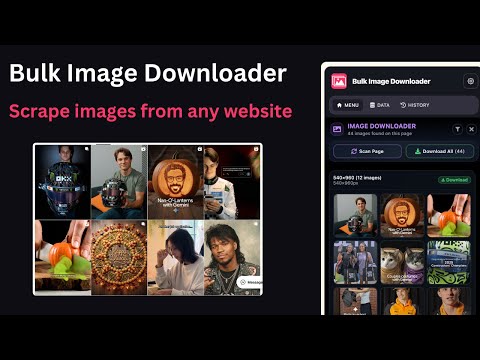
Bulk Image Downloader - Fast one-click tool to save all images from any website. Easy, powerful, and free image downloader.
🌟 Bulk Image Downloader – Ultimate Image & Data Extraction Tool Bulk Image Downloader 🚀 is your all-in-one Chrome extension for instantly downloading images and scraping data from any website — fast, easy, and powerful. Whether you want to save product images, collect photos in bulk, or extract valuable website data like emails, links, or business details — this tool does it all with just one click. No coding required. ⚡ 100% browser-based. Secure, accurate, and lightning fast. 🔑 Key Features of Bulk Image Downloader 1️⃣ 🖼️ One-Click Bulk Image Downloader ⚡ Download all images from a webpage instantly. Perfect for: • E-commerce product galleries 🛍️ • Design inspiration & photo collections 🎨 • Research and content creation 📚 Filter, preview, and download only the images you need — in seconds! 2️⃣ 🌐 Multi-Page Image Scraper 📄 Save images from multiple pages or URLs at once. Ideal for: • E-commerce stores with pagination • Art and photography websites • Social media galleries Save time by automating repetitive downloads effortlessly. 3️⃣ 📧 Email & Contact Extractor Extract verified email addresses and contact info from any site. Perfect for marketers, salespeople, and recruiters looking to build leads quickly. 4️⃣ 🏢 Business & Product Data Scraper Need more than just images? Grab structured data like product names, prices, SKUs, descriptions, and links. Useful for: • Market research • Competitor analysis • Data collection projects 5️⃣ 📤 Smart Export Options Easily save and share your collected data: ✅ Export to CSV, Excel, or Google Sheets ✅ Integrate with CRMs, marketing tools, or databases ✅ Organize your data for outreach, analytics, or research 🛠️ Advanced Extraction Capabilities • 🖼️ Bulk Image Downloader: Download all website images in one go • 📧 Email Extractor: Gather valid email addresses for outreach • 🏢 Business Info Scraper: Capture names, addresses, and company profiles • 💬 Reviews Scraper: Collect customer feedback and testimonials • 🛍️ E-commerce Scraper: Extract product details, prices, and stock info 👥 Who Can Benefit from Bulk Image Downloader? ✅ E-commerce Sellers → Download product images & data in seconds ✅ Designers & Photographers → Collect visual inspiration efficiently ✅ Marketers & Lead Generators → Extract emails, links & contact info ✅ Researchers & Data Analysts → Gather large-scale datasets easily ✅ Content Creators & Bloggers → Save photos and web content for reuse ✅ Developers & Scrapers → Automate data collection with no-code tools 💡 Why Choose Bulk Image Downloader? • 🖱️ No coding required – Easy for beginners • ⚡ Fast & lightweight – Works in your browser • 🌍 Supports all websites – Even infinite scroll & paginated ones • 🔐 Private & secure – Runs locally in your Chrome browser • 🤖 AI-assisted recognition – Detects and organizes image URLs smartly 🧭 How to Use Bulk Image Downloader 1️⃣ Install Bulk Image Downloader from the Chrome Web Store 2️⃣ Open the website or gallery you want to extract from 3️⃣ Click the extension icon 🔍 4️⃣ Choose images or data fields you want 5️⃣ Download instantly or export your results to CSV/Excel 🚀 Get Started Now! Save hours of manual downloading and scraping. With Bulk Image Downloader, you can download images in bulk, extract website data, and supercharge your productivity. 👉 Install Bulk Image Downloader today — and start saving images and data instantly!
5 out of 53 ratings
Details
- Version1.5.0
- UpdatedJuly 16, 2026
- Size613KiB
- Languages8 languages
- DeveloperWebsite
Email
superwebscraper.com@gmail.com - Non-traderThis developer has not identified itself as a trader. For consumers in the European Union, please note that consumer rights do not apply to contracts between you and this developer.
Privacy

Bulk Image Downloader has disclosed the following information regarding the collection and usage of your data. More detailed information can be found in the developer's privacy policy.
Bulk Image Downloader handles the following:
This developer declares that your data is
- Not being sold to third parties, outside of the approved use cases
- Not being used or transferred for purposes that are unrelated to the item's core functionality
- Not being used or transferred to determine creditworthiness or for lending purposes
Support
For help with questions, suggestions, or problems, visit the developer's support site