

Bulk File Downloader – Download All Files In One Click

Overview
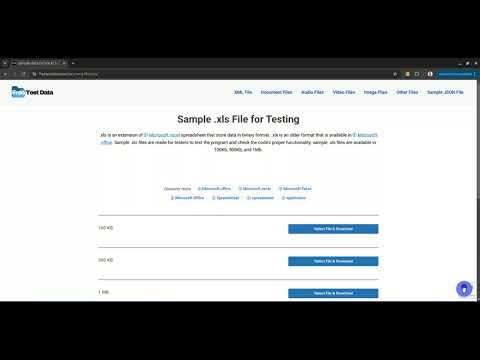
With one click, 'Bulk File Downloader' scans the current webpage and downloads all available files.
Bulk File Downloader is a powerful productivity tool that scans all links on a webpage and lets you download multiple files with a single click. Key Features Universal File Support: : Smart detection and downloading of files across all common formats. No manual selection needed. One-Click ZIP Download: Combine all selected files into a single ZIP archive for quick and easy organization. Important Note This extension is not intended for downloading streaming media (for example, YouTube) or embedded videos. Free vs. Pro Version: Free Version - Up to 5 bulk downloads per month Pro Version (one-time payment) - Unlimited bulk downloads
0 out of 5No ratings
Details
- Version1.0
- UpdatedJanuary 13, 2026
- Offered bySEO Keyword Extension
- Size207KiB
- LanguagesEnglish
- Developer
Email
seokeywordextension@gmail.com - Non-traderThis developer has not identified itself as a trader. For consumers in the European Union, please note that consumer rights do not apply to contracts between you and this developer.
Privacy

This developer declares that your data is
- Not being sold to third parties, outside of the approved use cases
- Not being used or transferred for purposes that are unrelated to the item's core functionality
- Not being used or transferred to determine creditworthiness or for lending purposes
Support
For help with questions, suggestions, or problems, visit the developer's support site