


Overview
Bulk save Gemini chats. Export to Notion, Obsidian, PDF, and Markdown instantly.
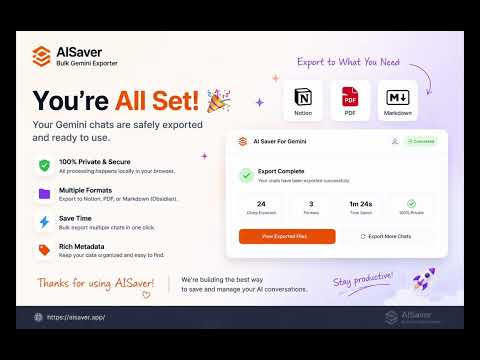
AISaver: Bulk Gemini Exporter Export Gemini chats to Notion, Markdown, PDF, and Obsidian — individually or in bulk. AISaver helps you save, organize, and back up your Gemini conversations with a local-first workflow designed for researchers, developers, students, analysts, and knowledge workers. Turn temporary AI conversations into a structured, searchable knowledge archive. 🚀 Key Features • Export Gemini chats to Notion, Markdown, PDF, and Obsidian • Bulk export Gemini conversation history • Batch export opened Gemini tabs • Local-first architecture — your data stays in your browser • Clean Markdown with YAML frontmatter support • Structured Notion database sync • Readable PDF exports for sharing and archiving • Flexible export folders and filename patterns • Export progress tracking, retry support, and failure isolation 🎯 Perfect For • Researchers and students • Developers and engineers • Product managers and founders • Consultants and analysts • Knowledge workers building a personal knowledge base 📝 Export Formats Export Gemini Chats to Notion Sync Gemini conversations into organized Notion databases with structured metadata fields. Export Gemini Chats to Markdown Generate clean Markdown files with properly formatted text, code blocks, tables, and YAML frontmatter. Export Gemini Chats to PDF Create readable PDF documents for offline access, sharing, documentation, and archiving. Export Gemini Chats to Obsidian Export Obsidian-compatible Markdown files for your vault, Zettelkasten workflow, or second-brain system. 🔎 Included Metadata AISaver automatically organizes exported conversations with structured metadata such as: • Title • Source URL • Platform • Created Time • Export Time • Message Count • Tags 🔐 Local-First Privacy Your conversations stay under your control. AISaver uses a local-first architecture: • Markdown and PDF files are generated locally in your browser • Your data is not uploaded to AISaver servers • Notion sync connects directly through the Notion API • No intermediate cloud storage or external processing The extension only works on supported Gemini conversation pages that you explicitly open. 📦 Common Workflows • Back up Gemini chat history before deleting conversations • Build a searchable AI knowledge base in Notion • Save coding discussions and research notes to Obsidian • Archive AI research as Markdown or PDF documents • Batch export Gemini conversations for long-term storage ✨ Why AISaver? AI conversations often contain valuable research, ideas, workflows, and technical knowledge. AISaver helps you transform Gemini chats into a reusable, searchable archive for your projects, research, and personal knowledge systems. 📧 Support & Resources Website: https://aisaver.app/gemini/ Documentation: https://aisaver.app/docs/gemini/how-to-export/ Video Guide: https://www.youtube.com/watch?v=pMqdBIevqO0 Support: support@aisaver.app 🔄 Changelog • 2026-05-09: Optimized export workflow and export details • 2026-04-17: Added custom export features • 2026-04-16: Added filename pattern selector and multi-account support
5 out of 57 ratings
Details
- Version1.1.0
- UpdatedMay 13, 2026
- Size696KiB
- Languages18 languages
- DeveloperWebsite
Email
joymin502@gmail.com - Non-traderThis developer has not identified itself as a trader. For consumers in the European Union, please note that consumer rights do not apply to contracts between you and this developer.
Privacy

Bulk Export Gemini to PDF, MD(Obsidian), and Notion has disclosed the following information regarding the collection and usage of your data. More detailed information can be found in the developer's privacy policy.
Bulk Export Gemini to PDF, MD(Obsidian), and Notion handles the following:
This developer declares that your data is
- Not being sold to third parties, outside of the approved use cases
- Not being used or transferred for purposes that are unrelated to the item's core functionality
- Not being used or transferred to determine creditworthiness or for lending purposes
Support
For help with questions, suggestions, or problems, please open this page on your desktop browser