


Overview
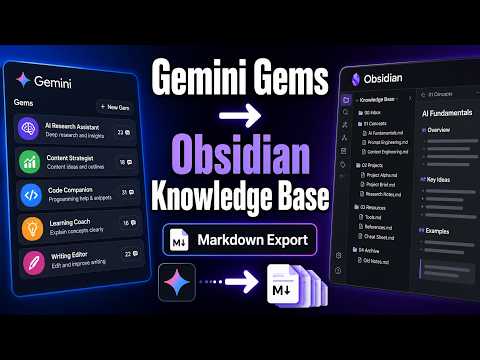
Easily bulk export your Gemini AI chats directly into Obsidian as Markdown files. Perfect for fast bulk processing.
✨ Export Gemini Chats to Obsidian and Markdown — One-Click, Batch, Selective, Gems, and Spark Export Export Gemini conversations into clean, readable Markdown files that are ready for Obsidian, local backups, research archives, documentation, and knowledge management. This extension helps you save Gemini chats as `.md` files with structured YAML frontmatter, readable message sections, optional local image downloads, linked document content when available, and export workflows for one conversation or many conversations at once. If you are looking for a reliable way to export Gemini to Obsidian, download Gemini chats as Markdown, batch export Gemini history, save Gemini Gems or Spark conversations, or keep Gemini research notes in a local knowledge base, this extension is built for that job. 🚀 Key Features • One-Click Gemini to Markdown: Export the current Gemini conversation directly from the popup • Obsidian-Ready Markdown: Save each conversation as a clean `.md` file with readable `# You` and `# Gemini` message sections • Batch Export Gemini Chats: Export multiple Gemini conversations into separate Markdown files • Selective Batch Export: Browse your Gemini conversation list, load more or load all conversations, select only the chats you need, and export them • Gems Export: Export conversations by Gemini Gem, including full-Gem exports or selected conversations from a specific Gem • Spark Export: Export the current Gemini Spark chat from the popup, or browse, select, and batch export Spark conversations from Bulk Export • Organized Spark Exports: Save Spark Markdown files and downloaded images under a dedicated `spark/` subfolder, with a `spark` frontmatter tag • Gem Subfolders: Optionally organize exported files into folders named after each Gem • Generated and Uploaded Image Export: Capture Gemini-generated images and user-uploaded images when Gemini provides exportable image data • Local Images Folder: Download images beside each Markdown file and link them with local `images/` Markdown references • Image Export Toggle: Turn image downloading on or off for popup and batch export workflows • Smarter Image Parsing: Better handling for Gemini generated-image placeholders, duplicate image data, and nested response structures • Linked Document Support: Extract linked documents or attachment content when available and include them under an Attachments section • Obsidian YAML Frontmatter: Include title, uuid, exported time, created time, url, gem, model, tags, and message count • Original Date Filename Options: Choose filename patterns using current export date, original conversation date, and conversation title • Browser Time Zone Support: Use your current browser time zone for frontmatter timestamps, date filters, filename dates, and daily limits • Date Filter for Batch Export: Export only conversations on or after a selected date • Long Conversation Support: Fetch multi-page Gemini conversation details more reliably for long chats • Multi-Account Gemini Support: Work with Gemini account paths such as `/app`, `/gem/`, `/u/0/app`, and `/u/1/app` • Smart Gemini Connection Check: Detect whether the current Gemini page is ready before exporting • Duplicate Export Protection: Skip already exported conversations with local export tracking • Export Summary: Review total, success, skipped, failed, and cancelled results after a batch export • Compact Export Settings: Configure download folder, filename pattern, image downloads, Gem subfolders, export mode, date filter, and skip-exported behavior • Local-First Privacy: Your Gemini content is processed locally in your browser 🛠️ How to Use 1. Open a Gemini conversation page. 2. Click the extension icon. 3. Export the current chat to Markdown, or open Bulk Export for multiple conversations. 4. In Bulk Export, choose Bulk Export, Selective Export, Gems Export, or Spark Export. 5. Configure filename pattern, image downloads, Gem subfolders, date filtering, and skip-exported behavior as needed. 🔍 Best For • Export Gemini chat to Obsidian • Save Gemini conversations as Markdown files • Back up AI research, project notes, study material, and writing drafts • Archive Gemini Gems conversations by workspace or assistant • Archive Gemini Spark chats in a dedicated local folder • Preserve generated images and uploaded image context beside your notes • Build a searchable local knowledge base from Gemini conversations • Share portable Markdown notes with teammates or keep them in Git 🔗 Useful Links • Product Documentation & Home: https://chatgpt2notion.com/products/gemini-to-obsidian/ • Batch Export Guide: https://chatgpt2notion.com/docs/export-gemini-to-obsidian/batch-export/ • Report Issues / Feedback: https://github.com/joysey/chatgpt-to-notion/issues Contact: chatgpt2notion@gmail.com 🛡️ Privacy Your Gemini content is never uploaded by the extension. Export parsing, Markdown generation, image linking, and file downloads happen locally in your browser. 💡 Why Use This Gemini to Obsidian Exporter? • Keep Gemini conversations before they get lost or buried in chat history • Turn AI chats into durable notes for Obsidian, Git, documentation, and research workflows • Export many conversations at once instead of copying chats manually • Organize Gem conversations into folders for cleaner knowledge management • Keep formatted answers, code blocks, linked reference content, timestamps, and image context in portable Markdown files 📝 Change Log • 2026-08-26: • Added Custom Preview & Select Messages. Review a Gemini chat before exporting, choose only the messages you want, and export a focused Markdown note while keeping images and attachments available. • Improved the preview experience with clear preparation feedback, selectable prompts and responses, theme and reading-width options, chat timestamps, Markdown formatting, and a more polished layout. • Improved pinned-chat support so pinned Gemini conversations are included in export lists, easy to identify, and preserved with the exported note. • Fixed preview selection issues when the service returns repeated message identifiers, keeping message selection stable and reliable. • 2026-08-14: Added Gemini Spark export support. Export the current Spark chat from the popup or select and batch export Spark conversations from Bulk Export. Spark exports are organized in a dedicated `spark/` folder and include a `spark` Markdown frontmatter tag. • 2026-06-28: Improved Gemini image parsing for Markdown exports. Added better support for user-uploaded images, Gemini-generated image placeholders, cross-message image deduplication, and nested image data in Gemini responses. Added `nextPageToken` typing for conversation pagination data. • 2026-06-13: Fixed the `created` frontmatter value so it records the conversation start time instead of the current export time. • 2026-06-11: Added Bulk Export, Selective Export, and Gems Export modes. Added selective conversation loading and selection, full-Gem export, individual Gem conversation selection, Gemini conversation count refresh, and a clearer Export Configuration panel. • 2026-06-10: Added generated image export support, local `images/` folders, Markdown image links, and an optional Download Images setting enabled by default. Improved current conversation title detection from the Gemini page. • 2026-04-09: Improved Markdown structure for readability. Changed message headers to `# You` and `# Gemini`, fixed Attachments heading hierarchy, and escaped Markdown headers in user content to prevent accidental document hierarchy conflicts. • 2026-03-20: Updated the bulk export page so the Export Configuration panel remembers whether it was expanded or collapsed and shows a quick settings summary when collapsed. • 2026-03-17: Improved batch export date filtering with normalized `YYYY-MM-DD` values and added a default `gemini` tag in Markdown frontmatter when no tags are available. • 2026-03-15: Added Gem subfolder export support, model/uuid/tags frontmatter fields, batch export date filtering, empty uuid fixes, popup title detection from the Gemini DOM, and browser-time-zone handling for timestamps, filenames, and daily limits. • 2026-03-12: Updated product title and short description text. • 2026-02-21: Fixed multi-account URL support for `/u/0/`, `/u/1/`, and related Gemini account paths. Improved YAML frontmatter formatting. • 2026-02-04: Improved bulk export options so export range preferences can be persisted locally. • 2026-02-02: Fixed and optimized minor issues reported by users. • 2026-01-13: Added support for exporting Gem conversations with `/gem/{gemId}/{conversationId}` URL format, added Gem title frontmatter, and fixed duplicate `c_` prefixes in bulk export URLs. • 2026-01-09: Optimized YAML tag formatting and export prompts for Markdown output. • 2025-12-09: Improved error messaging and fixed Gemini sub-document retrieval. Disclaimer: This is an independent project and is not affiliated with or endorsed by Google LLC.
4.6 out of 521 ratings
Details
- Version5.0.0
- UpdatedAugust 26, 2026
- Size472KiB
- Languages8 languages
- Developer
- Non-traderThis developer has not identified itself as a trader. For consumers in the European Union, please note that consumer rights do not apply to contracts between you and this developer.
Privacy

Export Gemini Chats to Obsidian has disclosed the following information regarding the collection and usage of your data. More detailed information can be found in the developer's privacy policy.
Export Gemini Chats to Obsidian handles the following:
This developer declares that your data is
- Not being sold to third parties, outside of the approved use cases
- Not being used or transferred for purposes that are unrelated to the item's core functionality
- Not being used or transferred to determine creditworthiness or for lending purposes
Support
For help with questions, suggestions, or problems, please open this page on your desktop browser