

Bulk Delete & Archive Chats — ChatGPT, Claude, Gemini
8 ratings
)
Overview
Delete multiple Claude/Gemini chats and archive ChatGPT conversations in bulk. Select many, clean up fast.
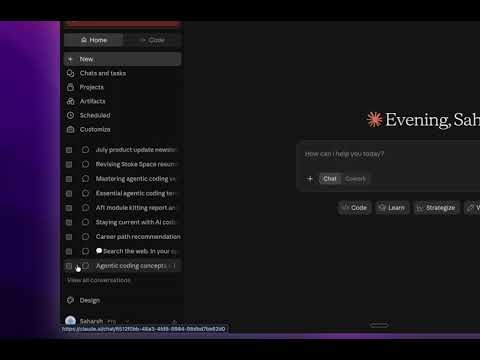
TidyGPT — Bulk Delete & Archive Chats If you use ChatGPT, Claude, or Gemini regularly, your chat history eventually turns into a wall of hundreds of conversations with no good way to clean it up. Every site makes you open each one and delete it individually. TidyGPT fixes that: select as many conversations as you want and clear them out in one pass. What it does -Adds a "Select" control to the chat list on ChatGPT, Claude, and Gemini -Click chats to pick them, or hold Shift to grab a whole range at once -One confirmation showing the exact count, then it runs the whole batch unattended -On ChatGPT, it archives (reversible — restore anytime from ChatGPT's own archive) -On Claude and Gemini, it deletes (permanent — which is why you always see the count before anything happens) Why install it -Built for real cleanup, not one-off tidying. Handles hundreds of chats in a single run instead of dozens of individual clicks. -Uses each site's own buttons. Every archive or delete is a genuine click on that site's real UI — nothing is faked, and nothing talks to a hidden API. If a site changes its interface, the extension just needs updating, not a redesign of how it works. -Never surprises you. One confirmation dialog, stating the exact number of chats and whether the action is reversible, always appears before anything destructive happens. -Minimal permissions. Only requests storage (to remember your settings) and tabs (so the on/off toggle applies instantly). No access to your browsing history, no account data, nothing beyond the four sites it works on. How to use it Open ChatGPT, Claude, or Gemini and look for the TidyGPT card next to your chat list. Click Select, pick the conversations you want gone, then click Archive or Delete. Confirm the count, and TidyGPT does the rest.
4.5 out of 58 ratings
Details
- Version2.0.0
- UpdatedAugust 14, 2026
- Offered bysaharsh.sriram1
- Size46.68KiB
- LanguagesEnglish
- Developer
Email
saharsh.sriram2@gmail.com - Non-traderThis developer has not identified itself as a trader. For consumers in the European Union, please note that consumer rights do not apply to contracts between you and this developer.
Privacy

This developer declares that your data is
- Not being sold to third parties, outside of the approved use cases
- Not being used or transferred for purposes that are unrelated to the item's core functionality
- Not being used or transferred to determine creditworthiness or for lending purposes