

BuildBetter Prototype Capture

Overview
Capture a snapshot of any web page and iterate on it in BuildBetter.
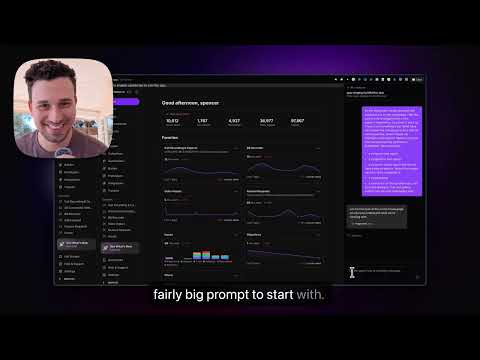
Capture any webpage and prototype changes to it conversationally — no code required. BuildBetter Prototype Capture takes a high-fidelity snapshot of whatever page you're viewing — your own product mid-flow, a competitor's site, an inspiration page — and opens it in BuildBetter's AI editor, where you can iterate on the design by chatting with an agent. Restyle sections, swap copy, add or remove elements, sketch a new feature into an existing app frame, all by describing what you want.
0 out of 5No ratings
Details
- Version0.1.0
- UpdatedMay 5, 2026
- Offered byBuildBetter.ai
- Size33.13KiB
- LanguagesEnglish
- DeveloperSpencer Shulem
124 W 60th St #34M New York, NY 10023-7469 USEmail
support@buildbetter.aiPhone
+1 805-680-6343 - TraderThis developer has identified itself as a trader per the definition from the European Union and committed to only offer products or services that comply with EU laws.
Privacy

BuildBetter Prototype Capture has disclosed the following information regarding the collection and usage of your data. More detailed information can be found in the developer's privacy policy.
BuildBetter Prototype Capture handles the following:
This developer declares that your data is
- Not being sold to third parties, outside of the approved use cases
- Not being used or transferred for purposes that are unrelated to the item's core functionality
- Not being used or transferred to determine creditworthiness or for lending purposes
Support
For help with questions, suggestions, or problems, visit the developer's support site