

BugPaste

Overview
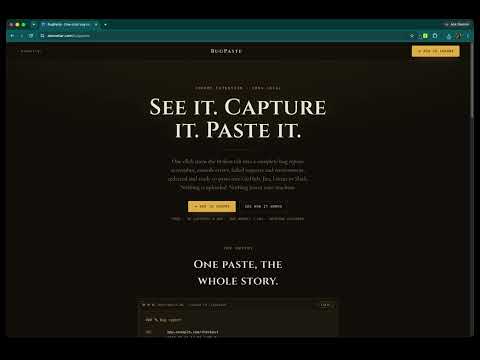
One-click bug reports: screenshot, console logs, network requests, environment info. 100% local, paste anywhere.
BugPaste turns a bug into a complete, pastable report in one click: a screenshot, the console logs, the failed network requests, and the browser environment, all captured together and formatted for wherever your team works. The catch that isn't a catch: your captures never leave your machine. No account. No sign-up. No cloud upload. Everything is assembled locally and copied to your clipboard. "The bug reporter that never sees your data." WHAT IT CAPTURES • Screenshot of the current tab, copied as an image ready to paste • Console logs and uncaught errors leading up to the bug • Network requests (method, URL, status, timing) so failed calls are in the report • Environment: browser, OS, viewport, device pixel ratio, page URL PASTE ANYWHERE Detailed description BugPaste turns a bug into a complete, pasteable report in one click: a screenshot, the console logs, the failed network requests, and the browser environment, all captured together and formatted for wherever your team works. The catch that isn't a catch: your captures never count. No sign-up. No cloud upload. Everything isy and copied to your clipboard. "The bug reporter that never sees your data." WHAT IT CAPTURES • Screenshot of the current tab, copied as an image ready to paste • Console logs and uncaught errors leading up to the bug • Network requests (method, URL, status, timing) so failed calls are in the report • Environment: browser, OS, viewport, device pixel ratio, page URL PASTE ANYWHERE Formatting presets for the tools you already use: • GitHub issues • Jira tickets • Linear • Slack Capture, pick a format, paste. The markdown drops screenshot alongside it. BUILT FOR PRIVACY-FIRST TEAMS • 100% local capture. Screenshots, console, and network data never touch a server. • Redaction runs before output, masking bearer tokens, JWTs, api_key parameters, and cookies as a safety net. • Per-site opt-in: console and network capture only run on the sites you explicitly enable, so a fresh install asks for no broad access. • Optional, anonymous product analytics (feature-usage counts only, never capture content, URL, or page data) that you switch off with one toggle in Options. Made for agencies under NDA, developers in regulated companies, QA consultants, and anyone tired of routing bug data through someone else's cloud. MORE IN THE BOX • Annotate screenshots with arrows, boxes, blur, and text • Record the current tab to a local .webm video for a repro • Repro-steps recorder that logs clicks, inputs, and navigation during a session • Self-contained HTML report bundle (a single file with the screenshot embedded) • HAR export for deep network inspection • Team config import/export: share redaction and formatting presets as a file, no cloud • Keyboard shortcut: Ctrl+Shift+B (Cmd+Shift+B on Mac) FREE VS PRO l capture flow (screenshot, console, network, repro, video, formatting, annotation), up to 30 captures per day. Pro removes the cap and adds deep capture (full request and response bodies). One-time purchase, activate on up to 5 devices. No subscription. Every feature is built to keep working with zero servers.
0 out of 5No ratings
Details
- Version0.1.0
- UpdatedJuly 12, 2026
- FeaturesOffers in-app purchases
- Offered byatomellar
- Size313KiB
- LanguagesEnglish (United States)
- Developer
Email
ckkampy@gmail.com - Non-traderThis developer has not identified itself as a trader. For consumers in the European Union, please note that consumer rights do not apply to contracts between you and this developer.
Privacy

This developer declares that your data is
- Not being sold to third parties, outside of the approved use cases
- Not being used or transferred for purposes that are unrelated to the item's core functionality
- Not being used or transferred to determine creditworthiness or for lending purposes
Support
For help with questions, suggestions, or problems, visit the developer's support site