

AI Browser Agent - Automate Web Tasks with Natural Language (Buddy)
2 ratings
)
Overview
AI browser agent that automates any web task from natural language: auto-click, fill forms, scrape & submit web pages.
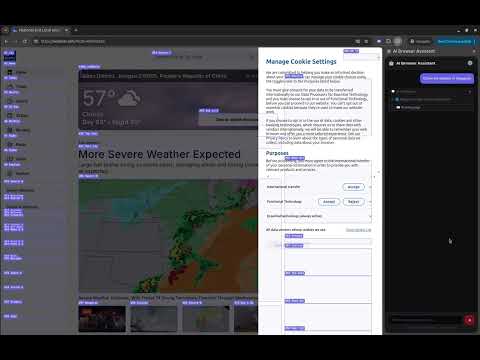
Buddy AI is a powerful Chrome extension that lets you automate any web task using natural language — just tell it what you want, and it handles the rest. What it does: Simply type a task in plain language, and the AI will take control of your browser to complete it step by step — across multiple actions in a single request. Whether it's searching for information, filling out forms, navigating complex websites, or interacting with web apps, Buddy AI handles it all automatically. Example tasks you can automate: - "Open GitHub user sazima's profile and star one of their repositories" - "Check the weather in Singapore" - "Search for the cheapest flight from Beijing to Shanghai tomorrow" - "Find the cheapest mechanical keyboard on Amazon" - "Fill out this registration form" - "Go to YouTube, find a GitHub tutorial, like it, then check Singapore's weather, and finally open sazima's test repo on GitHub and create a follow-up issue with the tutorial link and local weather attached" Key Features: - ✅ Natural language control — describe any task in plain language, no coding required - ✅ Multi-step task chaining — complete complex, sequential workflows in one command - ✅ Works on any website — no site-specific setup required - ✅ Real-time step display — watch exactly what the AI is doing - ✅ Smart form filling — fills multiple fields at once with a single command - ✅ Auto-stop protection — detects login walls, loops, and stuck pages - ✅ Bring your own API key — works with DeepSeek, OpenAI, or any OpenAI-compatible API - ✅ Configurable — set your own API base URL and max steps - ✅ Multilingual UI — supports English, 简体中文, 繁體中文, 日本語, 한국어 Why install it? Stop wasting time on repetitive browser tasks. Buddy AI turns multi-step web workflows into a single sentence. It's like having a personal assistant that can operate your browser — privately, locally, and on your terms. Privacy: Your API key is stored locally on your device using Chrome's built-in storage. No data is sent to any third-party server except the AI API endpoint you configure. The extension requires access to page content solely to read and interact with web pages on your behalf.
5 out of 52 ratings
Details
- Version1.1.12
- UpdatedJuly 21, 2026
- Offered bymusicsecret
- Size102KiB
- Languages5 languages
- Developer
Email
w@wktadmin.com - Non-traderThis developer has not identified itself as a trader. For consumers in the European Union, please note that consumer rights do not apply to contracts between you and this developer.
Privacy

This developer declares that your data is
- Not being sold to third parties, outside of the approved use cases
- Not being used or transferred for purposes that are unrelated to the item's core functionality
- Not being used or transferred to determine creditworthiness or for lending purposes
Support
For help with questions, suggestions, or problems, please open this page on your desktop browser