

Brushover
1 rating
)
Overview
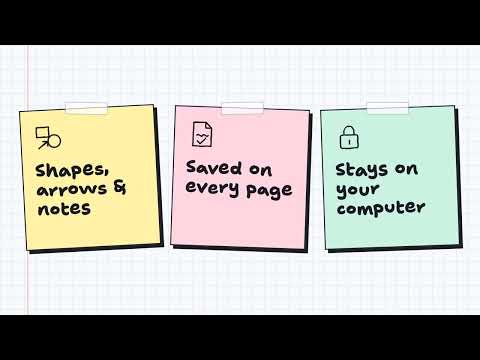
Draw, circle and write notes on top of any web page. Your drawings are saved for each page and stay on your computer.
Draw on any web page. Brushover puts a sketchpad on top of the tab you're on. Circle the important part, draw an arrow, write a note. Close it, and your drawing is saved for that page, so it's there when you come back. What you can do: • Shapes that look hand-drawn: boxes, circles, diamonds, lines and arrows that bend • A brush for freehand: underline, scribble, sign your name (mouse, pen or touchscreen) • Type notes anywhere on the page • Drop in a screenshot or photo and draw over it • Point at things during a screen share with the laser pointer, without leaving a mark • Save favorite drawings to your library and reuse them • Export a PNG or SVG, or copy your drawing to the clipboard • Undo and redo, zoom, dark mode and keyboard shortcuts Good for: • Bug reports and design reviews • Teaching or presenting over a screen share • Studying and marking up long articles How to use it: 1. Click the Brushover button in your toolbar, or pr 2. Pick a tool from the dock on the left and draw. Colors and styles appear on the right. 3. Click × in the dock when you're done. Your drawing is saved for that page. You can change the shortcut at chrome://extensions/shortcuts. Private by design: Your drawings are stored on your computer, in your browser. Brushover has no account, no server, no analytics and no ads. A page is only stored once you draw on it, and Reset the canvas in the menu deletes it. Good to know: • While Brushover is open, the page underneath stays still. Close it to scroll or click links. • Chrome doesn't allow extensions on its own pages, e Web Store. Google Chrome is a trademark of Google LLC. Use of this trademark is subject to Google Permissions.
5 out of 51 rating
Details
- Version0.2.0
- UpdatedNovember 4, 2026
- Size15.15MiB
- LanguagesEnglish
- Developer
Email
sudhakarshinde2905@gmail.com - Non-traderThis developer has not identified itself as a trader. For consumers in the European Union, please note that consumer rights do not apply to contracts between you and this developer.
Privacy

Brushover has disclosed the following information regarding the collection and usage of your data. More detailed information can be found in the developer's privacy policy.
Brushover handles the following:
This developer declares that your data is
- Not being sold to third parties, outside of the approved use cases
- Not being used or transferred for purposes that are unrelated to the item's core functionality
- Not being used or transferred to determine creditworthiness or for lending purposes
Support
For help with questions, suggestions, or problems, visit the developer's support site