

Testing Toolkit: 10+ Essential Manual Testing Tools

概述
Streamline web testing workflow with best-in-class tools like Live testing, JSON Formatter, Cookie Editor, Cache Manager & more
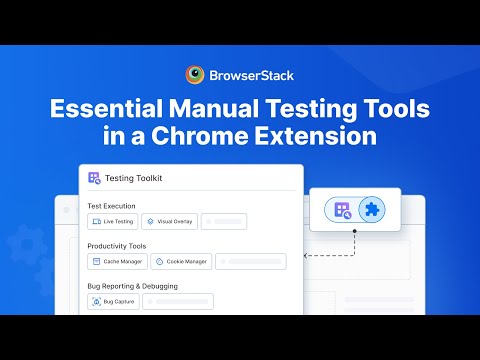
Everything you need— from test creation & setup to test execution, bug reporting & debugging— is now available in one Chrome extension. Trusted by QAs, SDETs, and FE developers, to streamline their testing workflows. ⭐️ Key Benefits: ––> Find everything you need for manual testing, in one Chrome extension. ––> Best-in-class tools for every task. ––> Experience smarter, faster testing with enterprise ready AI tools. =================== ⭐️ Key tools included: Best Chrome extension to streamline your manual testing workflow—from test creation & setup to test execution, bug reporting & debugging. Access all the essential testing tools in one click: 1. Live Testing - Perform cross-browser testing across 3,500+ real desktop and mobile browser combinations 2. Test Case Generator Agent - Leverage AI to achieve 90% faster test case creation. Generate accurate test cases from PDFs or link Confluence pages 3. Bug Capture - Generate detailed, data-rich bug reports with screenshots, console logs, and system information in one click 4. Accessibility Toolkit - Manually test accessibility with Assisted Tests, Workflow Analyzer and Screen Reader on real devices 5. Cookie Manager - Easily manage your browser cookies - search, add, edit, and delete cookies 6. Cache Manager - Clear cache with full control over what gets cleared and how far back 7. Network Simulator - Simulate different network speeds and conditions to test real-world user experiences 8. Geolocation Testing - Easily switch location across 100+ countries to test region specific behavior 9. Responsive Testing - Check responsiveness of your webpage across multiple screen resolutions side-by-side 10. Visual Overlay Testing - Overlay Figma designs on your webpage to detect visual differences 11. Requestly - All-in-one platform to test, mock, and intercept APIs — fast, private, and local-first 12. JSON Formatter - Automatically format, validate and debug JSON data 13. Common Workflow Automation - Automate repeated workflows like test account creation or order modification. Easy to use API client and workflow recorder =================== ⭐️ Who is Testing Toolkit for? ––> Quality Assurance Engineers & Managers ––> Software Engineers in Test ––> Front-end Developers ––> Product Managers ––> UX/UI Designers ======== References ======= 🏡 Website - https://www.browserstack.com/testing-toolkit ⭐️ Features - Features - Testing Toolkit | BrowserStack 📖 Docs - https://www.browserstack.com/docs/testing-toolkit 🏷️ Pricing - https://www.browserstack.com/pricing
5 星(5 星制)16 个评分
详情
隐私权
该开发者已声明,您的数据:
- 不会因未获批准的用途出售给第三方
- 不会为实现与产品核心功能无关的目的而使用或转移
- 不会为确定信用度或放贷目的而使用或转移
支持
若有任何疑问、建议或问题,请访问开发者的支持网站