


Overview
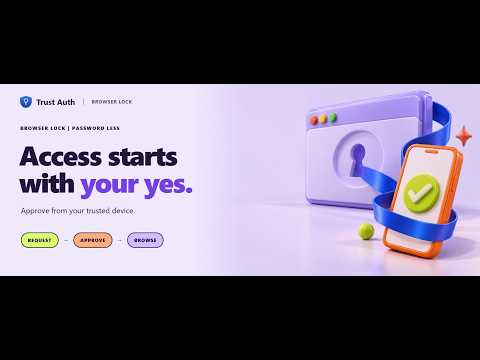
Approve browser access from your Trust Auth authenticator, with encrypted offline unlock.
Your browser. Your permission. Browser Lock | Password Less by Trust Auth adds an approval step before you access your protected browser profile. Request access from the extension, review it on your trusted phone or another trusted device, and approve to continue browsing. KEY FEATURES • Trusted-device approval Approve or deny browser access through your Trust Auth authenticator. • Recognisable browser profiles Give each browser profile a clear name so you can identify it when reviewing a request. • Automatic locking Choose an inactivity timer and session timeout to suit your routine. Lock immediately whenever you step away. • Customisable keyboard shortcut Use the suggested Ctrl+Shift+L shortcut on Windows or Command+Shift+L on Mac, or customise the assignment in your browser. • Restore your browsing session Return to your saved tabs after successful approval. • Encrypted offline unlock Configure an offline password and sync your offline credential beforehand. Offline access requires a valid cached credential and genuine disconnection. GETTING STARTED 1. Install Browser Lock in the browser profile you want to protect. 2. Sign in to Trust Auth on a separate trusted device. 3. Open Devices → Add a new device → Browser profile. 4. Generate a one-time pairing ID and passcode. 5. Enter those details and a recognisable profile name in the extension. 6. Compare the fingerprint on both devices and confirm the connection. 7. Request your first browser unlock and approve it from your trusted device. New users can also create a Trust Auth account from the extension. Complete email verification, save your recovery codes and test your first approval. REQUIREMENTS A Trust Auth account and a separate trusted approval device are required for online approval. The authenticator can be accessed through the Trust Auth website or Android app. Offline unlock must be configured and synced before you lose connectivity. PRIVACY Device keys and encrypted offline credentials are stored in your browser profile. Saved tab URLs used for session restoration are encrypted locally and are not uploaded to Trust Auth. Authentication requests communicate account and device identifiers, browser version and lock status to the Trust Auth service. IMPORTANT Browser Lock provides browser-level protection. Someone with sufficient access to your browser or operating system can disable or remove the extension. Keep your computer account secure and retain your recovery options. Get started: https://trust-auth.iamtac.com/ Privacy policy: https://trust-auth.iamtac.com/privacy.html
0 out of 5No ratings
Details
- Version2.2.0
- UpdatedNovember 5, 2026
- Size72.78KiB
- LanguagesEnglish
- DeveloperPersonalWebsite
Sri Aurobindo Ln Block C, Shivalik Colony, Malviya Nagar New Delhi, Delhi 110017 INEmail
browserprofilelock@iamtac.com - Non-traderThis developer has not identified itself as a trader. For consumers in the European Union, please note that consumer rights do not apply to contracts between you and this developer.
Privacy

Browser Lock | Password Less has disclosed the following information regarding the collection and usage of your data. More detailed information can be found in the developer's privacy policy.
Browser Lock | Password Less handles the following:
This developer declares that your data is
- Not being sold to third parties, outside of the approved use cases
- Not being used or transferred for purposes that are unrelated to the item's core functionality
- Not being used or transferred to determine creditworthiness or for lending purposes
Support
For help with questions, suggestions, or problems, please open this page on your desktop browser