


總覽
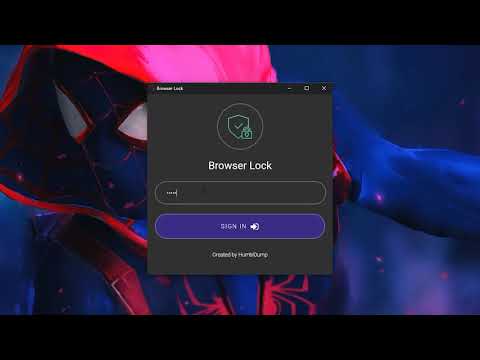
Protect your browser against unauthorized access. Easily lock your browser for added security.
Secure Your Browser with Browser Lock: The Ultimate Protection Solution In today’s digital age, securing your online activities is paramount. Browser Lock offers an advanced solution to ensure your browser remains safe from unauthorized access, providing an extra layer of security with ease. Enhanced Security with Encryption Browser Lock uses state-of-the-art encryption technology to protect your browser. This means that all your data, from saved passwords to browsing history, is securely encrypted, making it inaccessible to unauthorized users. Whether you are at home, at work, or on the go, you can be confident that your online activities are private and protected. Easy to Use and Implement One of the key features of Browser Lock is its simplicity. With just a few clicks, you can lock your browser, preventing others from accessing your sensitive information. The user-friendly interface ensures that anyone, regardless of their technical expertise, can use Browser Lock to safeguard their browsing experience. Startup Lock: Automatically locks your browser as soon as you open it. This feature ensures that every time you start your browser, you are prompted to enter a password, preventing unauthorized access right from the beginning. Right-Click Lock: Instantly lock your browser using the right-click menu. This practical feature allows you to quickly and conveniently secure your browser with just a few clicks, enhancing your security with minimal effort. Easy Lock: Quickly and simply lock your browser using keyboard shortcuts. This feature offers a fast and straightforward way to lock your browser, providing immediate security with the press of a few keys. Idle Mode: Automatically locks your browser when you're away from your computer. This feature detects inactivity and locks your browser after a predefined period of no user interaction, ensuring your data remains secure even if you step away unexpectedly. Easy Password Change: Easily change your password at any time. This user-friendly feature allows you to update your password quickly and effortlessly, enabling you to enhance your security whenever needed without hassle. Dark Theme: Stylish dark theme that is easy on the eyes. This feature provides a visually pleasing dark mode, reducing eye strain during prolonged use and offering a more comfortable viewing experience, especially in low-light environments. Multi-Language Support: Use the browser in multiple languages. This feature makes the browser accessible to users who speak different languages, allowing them to navigate and utilize all functions in their preferred language for a more inclusive experience. Unbreakable or Invisible Password: Keep your data secure with robust encryption. This feature ensures that your password is either extremely difficult to break or completely invisible, providing maximum security for your sensitive information by leveraging advanced encryption techniques. Protecting your browser from unauthorized access has never been easier. With Browser Lock, you can enhance your security effortlessly and keep your online activities safe from prying eyes. Download Browser Lock today and experience the ultimate in browser security. Contact: support@browserlock.io
4.7 分 (滿分 5 分)7192 個評分
詳細資料
隱私權

這位開發者就你的資料做出下列聲明:
- 除經核准的用途外,不會將你的資料販售給第三方
- 不會基於與商品核心功能無關的目的,使用或轉移資料
- 不會為了確認信用度或基於貸款目的,使用或轉移資料
支援
如有疑問或建議,請使用電腦版瀏覽器開啟這個頁面