

Browser Control
1 rating
)
Overview
Chat with Codex and use supervised browser actions beside the current page.
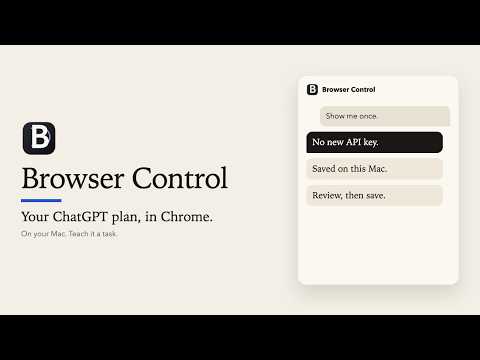
Browser Control puts Codex in Chrome's side panel so you can chat, explicitly attach the page you are reading, organize tabs, and request a fixed set of supervised browser actions without switching applications. Available on macOS, Windows, and Linux with a separately installed local companion. Key features: - Chat with the models available to an eligible ChatGPT/Codex account. - Review and attach the current page's title, URL, selected text, and bounded readable text only when you choose. - Attach local images, text/code, Markdown, and visual or scanned PDF pages using the picker, drag and drop, or pasted images. Preview attachments and select PDF page ranges before sending. Export Office documents to PDF first. - List, open, select, reload, group, ungroup, and close browser tabs. - Inspect visible controls and request allowlisted clicking, filling, selecting, checking, keypress, scrolling, history, waiting, dragging, and form submission. - See chronological browser activity, use short-lived element references, set a per-request action limit, and stop active work. - Reopen local conversation history, copy a completed reply, or fork a conversation from an earlier response. - Record a browser demonstration, review its steps, and save it as a local skill for later matching requests. Settings can disable or delete saved skills. - Ask to record a skill or use a contextual Record skill offer. Record up to 120 steps; capture starts only after you select Start recording. - Read locally typeset mathematical equations and edit the main chat system prompt in Settings. - Choose Ask every time for exact-site access and supported consequential-action confirmations, or explicitly enable Full access once for normal HTTP and HTTPS pages. - Choose Auto review for a separate configurable reviewer model, with Luna as the default, to review eligible routine actions. Risky or unclear actions still ask you. Reviews use additional Codex usage and do not grant site access. Full access can perform supported submit, save, send, publish, delete, schedule, and tab-close actions after your request without an additional Browser Control confirmation card. All modes show activity, enforce limits, support Stop, and refuse purchases, financial transactions, passwords, payment data, authentication codes, private keys, CAPTCHAs, and security bypasses. Requirements: - macOS, Windows, or Linux with current stable Google Chrome or Brave - Node.js 20 or newer - A compatible Codex CLI installation - An eligible ChatGPT/Codex account - The free Browser Control native companion, installed separately from the official support page - Windows: the .NET Framework C# compiler required by the companion installer - Linux: a standard browser installation; Snap and Flatpak browsers are unsupported The companion is required because a Chrome extension cannot start Codex CLI directly. It runs locally through Chrome Native Messaging. Browser Control does not ask for an API key, scrape ChatGPT cookies, use remotely hosted executable code, or include publisher analytics or advertising. Version 0.3.7 works with companion 0.3.6 or later from the official support page. Basic chat and attached page text also work with older companions; files and newer settings require an updated companion. Chrome updates the extension separately from the companion. Files are prepared locally; prepared attachments and conversation context are sent to OpenAI only when you send a message through your Codex account. Current limitations: page inspection returns at most 80 visible interactive controls. Protected Chrome pages, cross-origin frames, closed shadow roots, browser dialogs, and canvas-only controls are unsupported. Browser Control is not remote or unattended automation. Privacy policy: https://07rjain.github.io/browser-control-support/privacy.html Installation and support: https://07rjain.github.io/browser-control-support/support.html Windows and Linux installation guide: https://github.com/07rjain/browser-control/blob/main/docs/INSTALL_WINDOWS_LINUX.md Browser Control is an independent extension and is not affiliated with or endorsed by OpenAI.
5 out of 51 rating
Details
- Version0.3.7
- UpdatedOctober 23, 2026
- Offered byRishabh Bothra
- Size3.25MiB
- LanguagesEnglish
- Developer
Email
07rishabhjain@gmail.com - Non-traderThis developer has not identified itself as a trader. For consumers in the European Union, please note that consumer rights do not apply to contracts between you and this developer.
Privacy

Browser Control has disclosed the following information regarding the collection and usage of your data. More detailed information can be found in the developer's privacy policy.
Browser Control handles the following:
This developer declares that your data is
- Not being sold to third parties, outside of the approved use cases
- Not being used or transferred for purposes that are unrelated to the item's core functionality
- Not being used or transferred to determine creditworthiness or for lending purposes
Support
For help with questions, suggestions, or problems, visit the developer's support site