


Overview
Reimagine browsing as agentic — driven by the AI agent you already run, in your own logged-in browser.
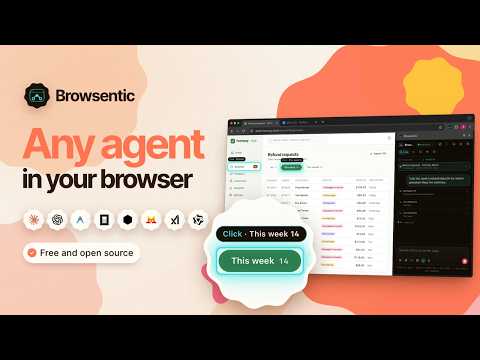
Browsentic gives your browser a superpower. It is a free, open source agentic browser harness that connects the AI agent on your computer, such as Claude Code or Codex, to the browser you already use, with your tabs, logins and sessions. You type or speak a task in the side panel, and the agent carries it out in your own tabs while you watch each step. No API key, no subscription, no account. WHAT IT DOES • Automates tasks in your real, logged-in browser: it reads the page's structure, then clicks, types, scrolls, fills in forms and moves between tabs • Browsentic Home on every new tab: type a task, open a frequent site or pick up a recent conversation (you can switch it off) • Records a task while you do it once, then replays it on demand • Schedules tasks to run on their own, once or on repeat • Watches a long job, such as an upload or a deploy, and tells you when it finishes • Hands-free voice mode: speak tasks instead of typing • Writes small tools for sites you use often. You review and approve each one, and can run it on every visit • Keeps a Profile for the details forms ask for, plus standing instructions for every task • Answers questions about a file you attach, alongside the page • Runs several tasks in several tabs at once • Drives Chrome on your Android phone (experimental) PRIVACY AND SAFETY • Connects only to Browsentic Bridge on your own computer, and pairs with it by itself or once you allow it • Asks before consequential actions, such as submitting a form or uploading a file • Passwords, keys and tokens become sealed placeholders, so the model never sees them • Sites you block are off-limits to every agent • No Browsentic server and no analytics. Page content goes only to the agent you chose and its model provider WHAT YOU NEED • Browsentic Bridge on your computer. On macOS or Windows, the free app from browsentic.com sets it up. On Linux, or without the app, run: npx browsentic@latest setup (Node.js 20 or newer) • An agent CLI you are signed in to, such as Claude Code or Codex. browsentic.com lists every supported agent Then click Browsentic in the toolbar to open the side panel, where you pick the agent and its model. OPTIONAL: MCP An MCP client, such as Claude Code, can also drive the same browser. The side panel does not need this. OPEN SOURCE Apache 2.0. Source, docs and issues: https://github.com/imshaikot/browsentic Website and install guide: https://browsentic.com Privacy policy: https://browsentic.com/privacy/
0 out of 5No ratings
Details
- Version0.9.0
- UpdatedOctober 18, 2026
- Size570KiB
- LanguagesEnglish
- DeveloperWebsite
Email
mail2shariar@gmail.com - Non-traderThis developer has not identified itself as a trader. For consumers in the European Union, please note that consumer rights do not apply to contracts between you and this developer.
Privacy

This developer declares that your data is
- Not being sold to third parties, outside of the approved use cases
- Not being used or transferred for purposes that are unrelated to the item's core functionality
- Not being used or transferred to determine creditworthiness or for lending purposes
Support
For help with questions, suggestions, or problems, visit the developer's support site