


Overview
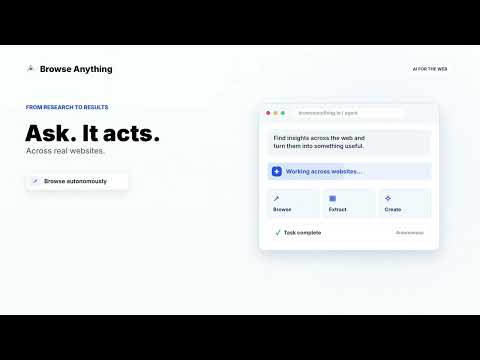
An AI browser agent capable of autonomous browsing, scraping and more.
🚀 BrowseAnything — AI Browser Automation for Chrome + Cloud Control BrowseAnything is an AI-powered Chrome extension that lets you automate real browser actions, extract data, and control workflows in your local browser or in the cloud. It turns Chrome into an automation engine for scraping, form filling, and data extraction — without writing code. ⚙️ What You Can Do 🧩 Automate Your Local Browser Control Chrome directly and automate repetitive tasks: Fill forms automatically on any website Click, navigate, and interact with pages Extract structured and unstructured web data Capture content from dynamic websites Work directly with your logged-in sessions Everything runs inside your own Chrome browser. 📊 Web Scraping & Data Extraction Collect and structure data from the web: Scrape text, tables, and page content Extract data from multiple pages or websites Build datasets for analysis or AI pipelines Prepare data for RAG (Retrieval-Augmented Generation) systems 🔊 Tab Audio Capture Interact with audio inside browser tabs: Listen to audio playing in tabs Capture audio streams for processing Enable transcription or audio-based workflows ☁️ Cloud Automation (Optional) Extend your workflows beyond your device: Run browser automation in the cloud Execute tasks without keeping your computer open Schedule long-running scraping jobs Manage automation remotely 📲 Remote Control via Telegram Control your browser automation from anywhere: Start and stop tasks instantly Trigger scraping or form filling workflows Receive results in real time Manage cloud or local executions remotely 💼 Common Use Cases Lead generation & prospecting Automated form submissions Market research & competitor tracking Data collection for AI systems (RAG pipelines) Audio-based data extraction workflows 🌍 How It Works BrowseAnything connects directly to your Chrome browser and turns manual browsing into programmable automation. You can: Run actions locally in real time Or delegate heavy tasks to the cloud Or control everything remotely via Telegram 🚀 Why BrowseAnything? Instead of repeating manual tasks or writing complex scripts: You simply automate real browser actions in seconds — locally or in the cloud. Fast, simple, and built for real-world automation.
5 out of 52 ratings
Details
- Version0.3.1
- UpdatedOctober 4, 2026
- FeaturesOffers in-app purchases
- Size692KiB
- LanguagesEnglish (United States)
- DeveloperWebsite
Email
hello@browseanything.io - Non-traderThis developer has not identified itself as a trader. For consumers in the European Union, please note that consumer rights do not apply to contracts between you and this developer.
Privacy

Browse Anything: AI Browser Agent has disclosed the following information regarding the collection and usage of your data. More detailed information can be found in the developer's privacy policy.
Browse Anything: AI Browser Agent handles the following:
This developer declares that your data is
- Not being sold to third parties, outside of the approved use cases
- Not being used or transferred for purposes that are unrelated to the item's core functionality
- Not being used or transferred to determine creditworthiness or for lending purposes
Support
For help with questions, suggestions, or problems, visit the developer's support site