Item logo image for BrightSpace Open In New Tab Extension

BrightSpace Open In New Tab Extension

5.0(

2 ratings

)
Item media 4 (screenshot) for BrightSpace Open In New Tab Extension
Item video thumbnail
Item media 2 (screenshot) for BrightSpace Open In New Tab Extension
Item media 3 (screenshot) for BrightSpace Open In New Tab Extension
Item media 4 (screenshot) for BrightSpace Open In New Tab Extension
Item video thumbnail
Item media 2 (screenshot) for BrightSpace Open In New Tab Extension
Item media 3 (screenshot) for BrightSpace Open In New Tab Extension
Item media 4 (screenshot) for BrightSpace Open In New Tab Extension

Overview

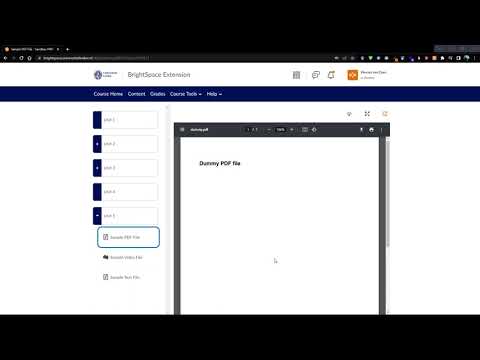
Allows users of BrightSpace to open PDF's, video's and text shown in the 'Content' tab in a separate tab using a button.

Why this extension? The virtual learning environment BrightSpace is used by over 1000 educational institutions and businesses worldwide. However, files on the 'Content' tab such as PDF's and video's are shown using a built-in viewer. Users that would like to switch between several files either find themselves clicking between the various topics on BrightSpace or downloading them first and then opening them in separate tabs. This hinders productivity and is not the best user experience. It would be great if users could easily open such files in new tabs. What does this extension do? This extension allows the users to open PDF's and video's (such as lecture recordings) on BrightSpace in a new Google Chrome tab, by adding a new button on the content pages. Clicking this button will open a new tab containing the content that is currently active. Does it always work? The extension works with PDF files and video's both for students and course administrators. There are, however, several ways to upload documents, and not all are supported by this extension. Nonetheless, most should work. For a list of supported institutions, see https://github.com/WesselvanDam/bs-extension/tree/main#supported-institutions Don't see yours? Place the link that your institution uses in a comment and I will add support as soon as possible. For the source code of this extension, see https://github.com/WesselvanDam/bs-extension

Details

  • Version
    1.7
  • Updated
    October 5, 2025
  • Offered by
    wesselvandam2000
  • Size
    13.63KiB
  • Languages
    English
  • Developer
    Email
    wesselvandam2000@gmail.com
  • Non-trader
    This developer has not identified itself as a trader. For consumers in the European Union, please note that consumer rights do not apply to contracts between you and this developer.

Privacy

BrightSpace Open In New Tab Extension has disclosed the following information regarding the collection and usage of your data. More detailed information can be found in the developer's privacy policy.

BrightSpace Open In New Tab Extension handles the following:

User activity
Website content

This developer declares that your data is

  • Not being sold to third parties, outside of the approved use cases
  • Not being used or transferred for purposes that are unrelated to the item's core functionality
  • Not being used or transferred to determine creditworthiness or for lending purposes

Related

Brightspace - D2L Grade Calculator

5.0

Calculate grade averages from Brightspace - D2L

D2L Grade Calculator

5.0

Calculate your potential and current grades in D2L courses

KalDown

4.6

Download Kaltura videos

Kaltura Information

4.7

Displays ID metadata for embedded Kaltura media videos.

Brightspace fixer

5.0

Brightspace design fixer for better use of whitespace

Dark Mode for Brightspace/D2L

1.0

Dark Mode for Brightspace / D2L This extension allows you to enable dark mode on Brightspace / D2L platform for any university.…

BrightSpace Open Content In A New Tab

5.0

BrightSpace Open Content In A New Tab

Brightspace Percentager

0.0

Add percentage tools to assessment grading: see calculated percentage grade and adjust overall grade by a percentage increment.

Brightspace layout fixer

5.0

A plugin that puts the focus on the active courses on brightspace pages

Dark2L

4.8

Dark Mode & Serenity Sounds for D2L in a Click!

D2L++

4.5

An extension to enhance Brightspace LMS with dark mode, themes and some extra features.

Purdue Campus Autoselect

5.0

Automatically clicks on your campus every time you load Purdue-related websites

Brightspace - D2L Grade Calculator

5.0

Calculate grade averages from Brightspace - D2L

D2L Grade Calculator

5.0

Calculate your potential and current grades in D2L courses

KalDown

4.6

Download Kaltura videos

Kaltura Information

4.7

Displays ID metadata for embedded Kaltura media videos.

Brightspace fixer

5.0

Brightspace design fixer for better use of whitespace

Dark Mode for Brightspace/D2L

1.0

Dark Mode for Brightspace / D2L This extension allows you to enable dark mode on Brightspace / D2L platform for any university.…

BrightSpace Open Content In A New Tab

5.0

BrightSpace Open Content In A New Tab

Brightspace Percentager

0.0

Add percentage tools to assessment grading: see calculated percentage grade and adjust overall grade by a percentage increment.

Google apps