


Overview
Instantly summarize articles, YouTube videos, Coursera & DeepLearning.AI courses — TLDR, key points, AI sketchnote.
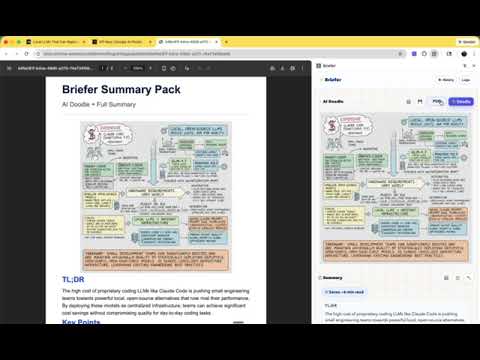
Briefer reads any article, blog post, research paper, or YouTube video and generates a structured AI summary in seconds — right in your browser's side panel. No copy-pasting. No tab switching. ⚡ INSTANT SUMMARIES Get a TLDR, key points, and takeaway from any page in seconds. Two modes to choose from: • Quick Read — fast overview with the essentials • Deep Dive — breaks down the core argument, solution mechanism, structural shift, and why it matters 📺 YOUTUBE & COURSE SUPPORT Summarizes YouTube videos and DeepLearning.AI courses directly from their transcripts. Great for lectures, talks, and tutorials. 🎨 AI DOODLE (SKETCHNOTE) Generate a visual sketchnote-style mind map of the content — powered by Gemini's image model. Helps ideas stick in memory. 📚 HISTORY & TOPICS Every summary is saved automatically and grouped by topic. Your personal knowledge base grows with every page you read. 🔑 BRING YOUR OWN KEY — NO SUBSCRIPTION Briefer uses your free Google Gemini API key directly. No monthly fee. No Briefer account. No middleman. 🔒 PRIVATE BY DESIGN • Page content is extracted locally inside your browser tab — never sent to Briefer • AI calls go directly from your browser to Google Gemini • Your API key is stored in Chrome's encrypted storage — never shared • Summaries are saved locally on your device only • No analytics. No backend server. No tracking. 🌐 OPEN SOURCE Briefer is free and open source (MIT). Source code available at github.com/steepworksai/Briefer. HOW TO GET STARTED 1. Add your free Google Gemini API key (get one at aistudio.google.com) 2. Navigate to any article, video, or course page 3. Click the Briefer icon to open the side panel 4. Your summary appears in seconds
0 out of 5No ratings
Details
- Version1.0.0
- UpdatedMarch 3, 2026
- Size105KiB
- LanguagesEnglish
- DeveloperWebsite
Email
venkateshpoosarla@gmail.com - Non-traderThis developer has not identified itself as a trader. For consumers in the European Union, please note that consumer rights do not apply to contracts between you and this developer.
Privacy

This developer declares that your data is
- Not being sold to third parties, outside of the approved use cases
- Not being used or transferred for purposes that are unrelated to the item's core functionality
- Not being used or transferred to determine creditworthiness or for lending purposes
Support
For help with questions, suggestions, or problems, please open this page on your desktop browser