


Overview
Your assistant for a 60-second brief on anyone on the internet. Right-click or click the chip to find out more.
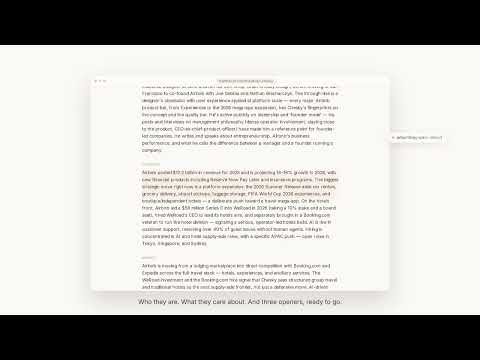
Know who you're meeting — before the call. Brief turns a name into a synthesized pre-meeting briefing in seconds: who someone is, what their company and market look like now, how they tend to work, plus three hooks, three questions, and what to avoid. How you use it — nothing happens until you ask: - Highlight any name, anywhere. Select a name on any page — a news article, a blog post, a doc — right-click, and choose "Research with Brief." - Right-click a profile link. Point at a link to someone's profile and research them in one click. - An optional one-click chip. On professional profiles, a quiet chip can appear beside the name so you can research without leaving the page. You can turn it off. Brief researches the open web — it does NOT scrape the page you're on. The extension takes only the name you point it at and runs its research server-side across public web sources. It doesn't read, harvest, or store the content of the pages you visit, and it never reveals emails or phone numbers — it tells you who the person is and how to approach them. Made for sellers, founders, recruiters, and anyone customer-facing doing pre-meeting research — an AI research assistant for the moment right before you talk to someone. How to start 1. Pin Brief and sign in once with Google. 2. Highlight a name and right-click — or use the optional chip on a profile. 3. Brief researches the open web and renders a short briefing. Briefs are AI-generated from public sources and may be inaccurate or out of date. They are not for decisions about hiring, credit, tenancy, insurance, or background checks. Anyone can request correction or removal at briefthecall.com/takedown. Privacy: briefthecall.com/privacy · Terms: briefthecall.com/terms
5 out of 52 ratings
Details
- Version0.1.0
- UpdatedJune 9, 2026
- Size190KiB
- LanguagesEnglish
- DeveloperWebsite
Email
tech@briefthecall.com - Non-traderThis developer has not identified itself as a trader. For consumers in the European Union, please note that consumer rights do not apply to contracts between you and this developer.
Privacy

Brief — research anyone before you meet them has disclosed the following information regarding the collection and usage of your data. More detailed information can be found in the developer's privacy policy.
Brief — research anyone before you meet them handles the following:
This developer declares that your data is
- Not being sold to third parties, outside of the approved use cases
- Not being used or transferred for purposes that are unrelated to the item's core functionality
- Not being used or transferred to determine creditworthiness or for lending purposes
Support
For help with questions, suggestions, or problems, visit the developer's support site