

Bridle – Send Requests to Claude, Codex & Lovable

Overview
Right-click any UI element to capture feedback, recordings, and replays, then send them to Lovable, Claude, Codex, or your team.
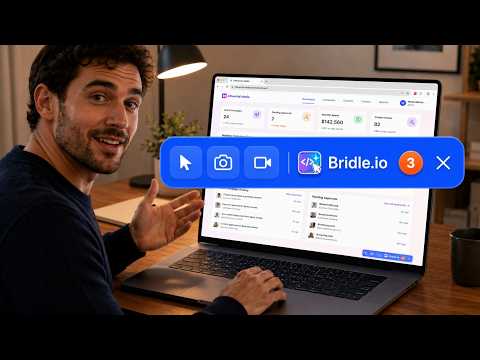
Bridle — Website Feedback for AI Coding Tools & Teams Bridle helps you capture bugs, change requests, screenshots, recordings, and technical context while reviewing a website. Point to a UI element, describe what needs to change, then review and share the captured context with your team or supported AI tools. 🚀 How Bridle Works Point — Right-click an element on a website Describe — Add a bug report, change request, feature idea, or quick note Review & Share — Review the captured information, then export, sync, or share it ✨ Key Features 🎯 Capture bugs and change requests directly from the page you are reviewing 🧩 Capture the selected UI element with selectors, styles, layout details, and page context 📸 Take screenshots of specific elements or page areas 🎬 Record browser-tab walkthroughs with smart zoom 🎥 Capture session replays to help show how an issue happened 🔍 Capture debugging evidence including network activity, console messages, and browser errors 🤖 Prepare structured context for developers and AI coding tools 🗂️ Organise captured items in Bridle boards for collaboration 📝 Refine Quick Notes with AI assistance 📦 Export and share captured information for review or implementation 🤖 AI-Ready Context Bridle can prepare structured context containing your notes, selected element information, page details, screenshots, technical references, reproduction steps, and relevant debugging evidence. You can review the captured information before sharing it. Bridle supports workflows with Claude, Codex, Lovable, Gemini, and GitHub Copilot, as well as other compatible AI tools. 🔍 Advanced Debugging When investigating a technical issue, Bridle can capture: 🌐 Network requests and responses ⚠️ Console messages and browser errors 🕒 Network and console event timelines 📸 Relevant screenshots 🎥 Session replay evidence You can review the captured evidence and export an investigation pack for further analysis. 🗂️ Boards & Collaboration Captured items can be organised in Bridle boards so bugs, changes, tasks, and ideas remain connected to the original website context. Teams can use boards to review work, manage progress, and collaborate without losing the information captured from the page. Some collaboration and cloud features may require a Bridle account or applicable plan. 🎥 Recordings & Cloud Sharing Record browser walkthroughs and upload selected recordings or screenshots to Google Drive or Microsoft OneDrive when connected. Uploads are initiated by you and are useful for bug demonstrations, QA sessions, client feedback, and longer walkthroughs. 📦 Export & Import Bridle supports export formats including: 📄 PDF 🌐 HTML 📝 Markdown 🔗 Shareable links 🧩 .w2c feedback files 🔍 Debugging investigation packs containing network requests/responses .w2c files can also be imported back into Bridle for further review. 🔐 Privacy Captured information is processed and stored locally by default. You decide what to export, upload, sync, or share. Review captured content before sharing it with an AI tool, cloud provider, or teammate. Privacy policy: https://bridle.io/privacy 🏁 Getting Started Install Bridle, open the website you want to review, and right-click an element to begin. Describe the issue or requested change, review the captured context, and choose how you want to use or share it. No special setup is required for basic capture. Questions or support: support@bridle.io
5 out of 512 ratings
Details
- Version1.1.52
- UpdatedOctober 5, 2026
- Size872KiB
- LanguagesEnglish
- DeveloperINNOVOTECH SOLUTIONS LTDWebsite
128 City Road LONDON EC1V 2NX GBEmail
support@influential.mediaPhone
+44 7915 521000 - TraderThis developer has identified itself as a trader per the definition from the European Union and committed to only offer products or services that comply with EU laws.
- D-U-N-S222791817
Privacy

This developer declares that your data is
- Not being sold to third parties, outside of the approved use cases
- Not being used or transferred for purposes that are unrelated to the item's core functionality
- Not being used or transferred to determine creditworthiness or for lending purposes
Support
For help with questions, suggestions, or problems, visit the developer's support site