

Breakpane – Responsive Design Tester
2 ratings
)
Overview
Test any website on 75+ devices side by side. Synced scroll and clicks, breakpoint finder, layout audit and device screenshots.
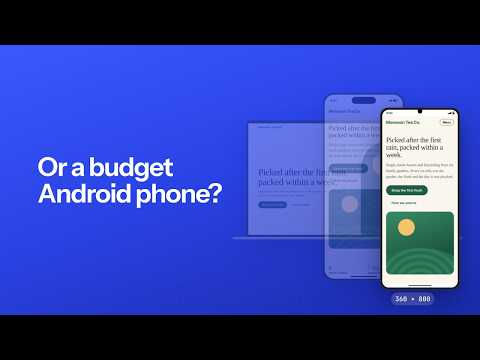
See your website on every screen at once. Breakpane opens any page – live sites, staging or localhost – on phones, tablets and laptops side by side in one tab. Scroll, click or type on one device and every other device follows. Then find exactly where your layout breaks, catch layout bugs, and export client-ready screenshots. GET STARTED IN 10 SECONDS 1. Click the Breakpane icon on any page 2. Choose "Test this page" or a device set 3. Scroll, click and type – every device follows A COMPLETE DEVICE LIBRARY • 75+ phone, tablet, foldable, laptop and desktop sizes, from small budget phones to large desktop screens • Popular CSS framework breakpoints as one-click sets • Save your own custom sizes SYNCED TESTING • Scroll sync across every device • Click and form-typing sync • Navigation sync: click a link on one device and all devices follow • Back, forward and reload everything at once BREAKPOINT FINDER • Reads the media queries in the page's CSS and lists every breakpoint width • A fluid viewport with a ruler lets you drag through every width with breakpoints marked • "Test edges" adds viewports one pixel either side of a breakpoint, so you see exactly what changes LAYOUT AUDIT Runs automatically inside every device and flags: • Pages that scroll sideways, and the element causing it • A missing or incorrect viewport meta tag • Tap targets smaller than 24 × 24 px • Text smaller than 12 px • Images too low-resolution for the screen Click any issue to highlight the element on the device. REALISTIC PREVIEWS • Device frames with status bar and camera cut-out • "Browser bars" mode shows the real visible area under mobile browser toolbars • User agent, touch, pixel ratio and screen size set per device • Drag-to-scroll with momentum on touch devices • Rotate to landscape without reloading SCREENSHOTS AND VIDEO • Transparent PNG device mockups • Screen-only captures • Full-page screenshots, scrolled and stitched automatically • All devices in one image • Video recording of any device PRIVATE BY DESIGN No account. No tracking. No servers. Everything runs in your browser and nothing you test leaves your computer. Note: Breakpane simulates devices inside Chrome. For a final check before launch, also test on a real phone.
5 out of 52 ratings
Details
- Version1.0.1
- UpdatedNovember 5, 2026
- Offered byLavkush
- Size112KiB
- LanguagesEnglish
- DeveloperLavkush kumar
146, purab muhalla, vill - Dihari po- thakuraee parasiya Nasriganj, Bihar 821310 INEmail
kushkrg@gmail.comPhone
+91 86780 14338 - TraderThis developer has identified itself as a trader per the definition from the European Union and committed to only offer products or services that comply with EU laws.
Privacy

This developer declares that your data is
- Not being sold to third parties, outside of the approved use cases
- Not being used or transferred for purposes that are unrelated to the item's core functionality
- Not being used or transferred to determine creditworthiness or for lending purposes
Support
For help with questions, suggestions, or problems, visit the developer's support site