

Break by Cynth

Overview
Side panel notes, tasks, break timers and more
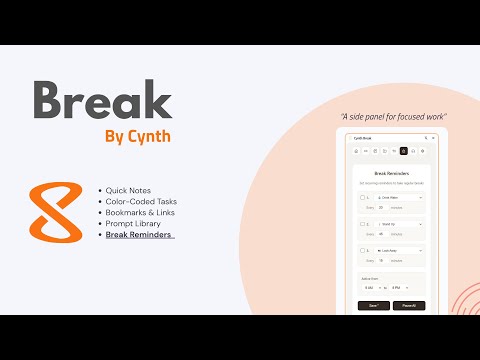
Break – Interrupt the Loop. Reclaim Focus. Break is a calm, always-available productivity side panel designed to help you interrupt unproductive patterns, take intentional breaks, and keep your thinking organized — without leaving your browser. It’s not another noisy productivity tool. It’s a pattern interrupt. What Break Does Break lives in Chrome’s side panel and gives you instant access to the tools you actually use throughout the day: Break Reminders Set up to three recurring break timers with custom messages like Drink Water, Stand Up, or Look Away. Choose intervals, active hours, and pause or resume all reminders instantly. Notes (Auto-Saved) Jot down thoughts, ideas, or reminders. Notes save automatically as you type — no buttons, no friction. Tasks Create simple to-do lists with optional color coding. Reorder tasks by drag-and-drop and mark them complete as you go. Bookmarks & Top Sites View and search your bookmarks from a selected folder, plus quick access to your most visited sites — all without opening new tabs. ClipBoard Library Store, organize, and search clipboard items, swipe copy, prompts or any text content for easy access. Focus & Ambient Audio Optional background soundscapes to support concentration or calm while you work. Designed for Clarity, Not Noise Clean, distraction-free interface Multiple themes (Warm, Dark, Light, Cool) Keyboard-friendly and accessible Opens instantly from the Chrome toolbar Everything runs locally — your data stays on your device Who It’s For Break is ideal for: Knowledge workers who live in their browser Creators, writers, and builders Anyone who wants fewer tabs, fewer distractions, and better breaks Users who value intentional work over constant hustle Permissions Explained (Transparency Matters) Break only requests permissions required for core features: Alarms – power recurring break reminders Notifications – display break alerts Bookmarks – show and search your bookmark folders ClipBoard - To save clipboard content to clip library Top Sites – display frequently visited sites Storage – save notes, tasks, prompts, and settings locally Side Panel – provide a persistent productivity panel No tracking. No analytics. No external servers.
0 out of 5No ratings
Details
- Version1.4
- UpdatedFebruary 4, 2026
- Offered byCynth
- Size18.27MiB
- LanguagesEnglish (United States)
- DeveloperMRN Capital LLC
2189 Post Rd Wells, ME 04090-4718 USEmail
app@3xfocus.com - Non-traderThis developer has not identified itself as a trader. For consumers in the European Union, please note that consumer rights do not apply to contracts between you and this developer.
Privacy

This developer declares that your data is
- Not being sold to third parties, outside of the approved use cases
- Not being used or transferred for purposes that are unrelated to the item's core functionality
- Not being used or transferred to determine creditworthiness or for lending purposes
Support
For help with questions, suggestions, or problems, please open this page on your desktop browser