

Brain Rest – Screen Time Tracker
4 ratings
)
Overview
Track your screen time on every website and build healthier habits with focus mode, Pomodoro, daily limits, and site blocking.
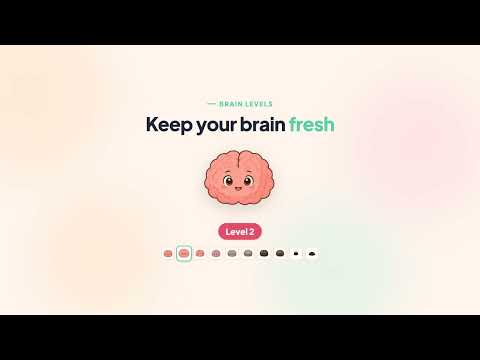
Brain Rest helps you understand and take control of how much time you spend online. It tracks your screen time on every website, turns it into a clear daily dashboard, and gives you real tools to build healthier browsing habits. ★ SEE WHERE YOUR TIME GOES • Automatic, accurate per‑website time tracking — only the active tab in the focused window is counted • Smart idle detection pauses tracking after 60 seconds away or when your screen is locked, so idle time never inflates your stats • A clean daily dashboard with per‑site breakdowns, plus trend and calendar analytics ★ BUILD HEALTHIER HABITS • Playful "brain levels" (Fresh → Dead) that reflect how long you've been online, with friendly nudges to take a break • Focus Mode — block distracting sites for a set time so you can get things done • Pomodoro timer — work/break cycles that block distraction categories during focus sessions • Daily limits — set a time budget per day (or per site) and get warned, blocked, or redirected when you hit it • Site blocking & Break Mode — step away from the sites that pull you in ★ YOUR DATA, ACROSS YOUR DEVICES Brain Rest uses a free account so your stats and settings stay in sync across the devices where you're signed in. Detailed, session‑level data stays on your device; only day‑level summaries (per‑domain time per day) are synced to your private account. Your raw browsing history is never uploaded. ★ FREE & PRO Brain Rest is free to use. Brain Rest Pro unlocks full history beyond 7 days, calendar analytics, block & redirect enforcement on daily limits, unlimited blocked sites and categories, and custom Pomodoro presets. Payments are processed securely by Polar (our merchant of record). Manage or cancel anytime from the Polar customer portal. ★ PRIVACY FIRST We never sell your data. We collect only what's needed to run the service: your email (for your account), your per‑domain daily screen‑time, and your settings. Optional, pseudonymous usage analytics help us improve the extension — they never include the websites you visit and can be turned off anytime in Settings. Read the full policy at https://brainrest.pro/privacy Questions? support@brainrest.pro
5 out of 54 ratings
Details
- Version1.0.5
- UpdatedOctober 19, 2026
- FeaturesOffers in-app purchases
- Offered byNguyen Thanh Thien
- Size2.97MiB
- LanguagesEnglish
- Developer
Email
nguyenthanhthien.658jjh@gmail.com - Non-traderThis developer has not identified itself as a trader. For consumers in the European Union, please note that consumer rights do not apply to contracts between you and this developer.
Privacy

Brain Rest – Screen Time Tracker has disclosed the following information regarding the collection and usage of your data. More detailed information can be found in the developer's privacy policy.
Brain Rest – Screen Time Tracker handles the following:
This developer declares that your data is
- Not being sold to third parties, outside of the approved use cases
- Not being used or transferred for purposes that are unrelated to the item's core functionality
- Not being used or transferred to determine creditworthiness or for lending purposes
Support
For help with questions, suggestions, or problems, please open this page on your desktop browser