

Bowerline – PDF & Web Highlighter

Overview
Highlight web pages and PDFs, add notes, export to Obsidian, Notion or Markdown. Private: no account, nothing leaves your browser.
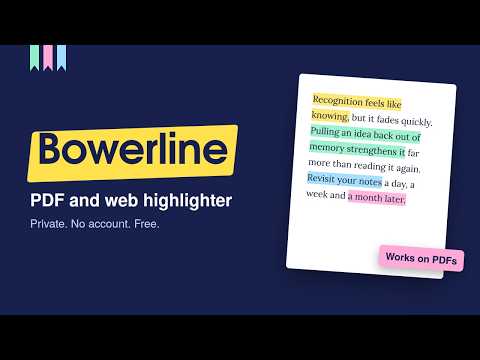
Bowerbirds collect colourful treasures and arrange them in their bower; Bowerline keeps the lines you collect while reading, in colour, in one place. Bowerline is a PDF highlighter and web highlighter for students, researchers and writers. Highlight text on any web page or PDF in four colours, add notes, and find every highlight again in one searchable library. There is no account to create, and nothing you highlight ever leaves your browser. HIGHLIGHT ANY WEB PAGE • Select text and a small toolbar appears: pick yellow, mint, pink or sky, add a note, or copy. • Your highlights come back every time you return to the page. • Robust text anchoring finds your highlight again even when the page changes a little, re-renders, or loads its content late (great for Reddit, news sites and other dynamic pages). • If a passage really is gone, the highlight is kept safe and listed as "Not found on this page". Nothing is ever silently deleted. • Bowerline never changes the page: highlights are drawn by the browser itself, and the toolbar is isolated from the site. HIGHLIGHT AND ANNOTATE PDFS • Open PDFs from the web or from your computer in Bowerline's built-in PDF viewer (powered by pdf.js). • Highlights are tied to the PDF file itself, not its address: open the same file from your downloads, an email or a website and your highlights are there. • Notes appear in the margin next to the passage. Page thumbnails show where your highlights are. • Keyboard shortcuts: H to highlight, N to add a note, + and − to zoom, arrow keys to change page. ONE SEARCHABLE LIBRARY • Search all your highlights and notes across web pages and PDFs (case- and accent-insensitive). • Filter by colour, see results grouped by page, and jump straight back to the passage. • Give colours a meaning, such as "Yellow: key idea" or "Pink: question". • Edit notes inline; deleted something by mistake? Undo. EXPORT TO OBSIDIAN, NOTION OR MARKDOWN, FREE • Obsidian: Markdown with YAML front matter, callouts and page numbers. • Notion: paste straight into a page. • Markdown: clean notes for any app. • CSV: open in Sheets or Excel. • Backup file: restore everything later, on any computer. Export one page, your whole library or the sources you choose. PRIVATE BY DESIGN • No account, no sign-up, no subscription. • No analytics, no tracking, no ads, no servers: your highlights and notes are stored only in this browser. • Bowerline runs on a page only when you ask (click the icon, press Alt+Shift+H, or right-click). If you like, turn on "Always on" to see your highlights automatically when you revisit a page. • Back up to a file whenever you want, and delete everything with one button. FAQ Is it really free? Yes. Everything described here is free. Do I need an account? No. There is no Bowerline account or server. Where are my highlights stored? In your browser's own storage on your computer. Back them up to a file from Settings. Does it work in Chrome's built-in PDF viewer? Chrome doesn't let extensions change its viewer, so Bowerline opens the PDF in its own viewer with one click. Does it work on Google Docs? Not yet. Google Docs draws its text on a canvas, so there is no selectable text to highlight. Does it work inside embedded frames? Not in version 1. Bowerline highlights the main page; text inside iframes isn't supported yet. Why does "Always on" ask for permission to read all websites? That is Chrome's standard wording for any extension that runs on the pages you visit. Bowerline uses it only to show your saved highlights, and it is completely optional. Made by Wrenbox: small, private tools for your browser.
0 out of 5No ratings
Details
- Version1.0.2
- UpdatedOctober 12, 2026
- Offered bywrenbox.studio
- Size2.75MiB
- LanguagesEnglish (United Kingdom)
- DeveloperJones Ruskin
57, Ratchagar Nagar West Extension, Chavadi Cuddalore, Tamil Nadu 607001 INEmail
wrenbox.studio@gmail.comPhone
+91 73392 05870 - TraderThis developer has identified itself as a trader per the definition from the European Union and committed to only offer products or services that comply with EU laws.
Privacy

Bowerline – PDF & Web Highlighter has disclosed the following information regarding the collection and usage of your data. More detailed information can be found in the developer's privacy policy.
Bowerline – PDF & Web Highlighter handles the following:
This developer declares that your data is
- Not being sold to third parties, outside of the approved use cases
- Not being used or transferred for purposes that are unrelated to the item's core functionality
- Not being used or transferred to determine creditworthiness or for lending purposes
Support
For help with questions, suggestions, or problems, please open this page on your desktop browser