


Overview
Open Borative Workspace OS from Chrome.
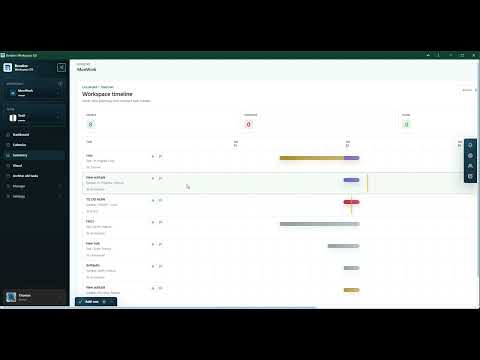
Borative is a workspace operating system for teams that need to plan, organize, and follow work from one place. This Chrome extension provides a quick browser entry point to the Borative web workspace. After installation, users can open the extension popup from the Chrome toolbar and choose to open their Borative workspace or dashboard in a new tab. Inside Borative, teams can manage task boards, subtasks, statuses, owners, due dates, comments, team chat, workspace timelines, summary views, and operation dashboards. The extension does not replace the Borative web app; it acts as a lightweight shortcut that helps users return to their workspace without searching bookmarks or typing the URL. Primary functionality: - Open the Borative web workspace from the browser toolbar. - Open the Borative dashboard directly in a new tab. - Give teams faster access to task canvas, timeline, team, chat, add-on, and workspace health views inside Borative. - Keep planning and collaboration close to the browser workflow. The extension package contains its own Manifest V3 popup, HTML, CSS, JavaScript, and icon. It does not read pages, inject content scripts, track browsing activity, collect personal data, or use remote code. Borative account data is handled inside the Borative web application according to the Borative Privacy Policy.
0 out of 5No ratings
Details
- Version2026.701.1400.0
- UpdatedJuly 7, 2026
- Size34.43KiB
- LanguagesEnglish
- Developercarlos monzonWebsite
Johannes-Paul-Thilman-Straße 16 05-02 Dresden 01219 DEEmail
info@powercm-software.comPhone
+49 1520 2343271 - TraderThis developer has identified itself as a trader per the definition from the European Union and committed to only offer products or services that comply with EU laws.
Privacy

This developer declares that your data is
- Not being sold to third parties, outside of the approved use cases
- Not being used or transferred for purposes that are unrelated to the item's core functionality
- Not being used or transferred to determine creditworthiness or for lending purposes
Support
For help with questions, suggestions, or problems, visit the developer's support site