Item logo image for BookMook

BookMook

Featured
5.0(

2 ratings

)
Item video thumbnail

Overview

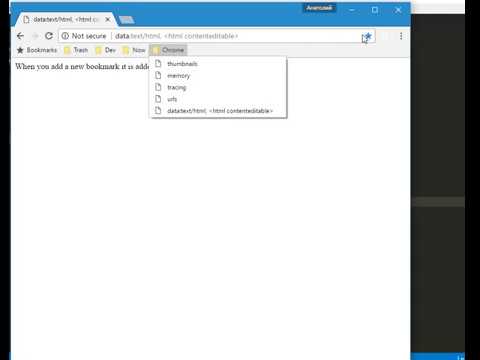
Moves new bookmarks to the top of the folder

When you add a new bookmark it is added to the bottom of the folder by default, BookMook moves it to the top of the folder.

Details

  • Version
    1.0.4
  • Updated
    May 11, 2025
  • Offered by
    Anatoly Demidovich
  • Size
    20.19KiB
  • Languages
    English
  • Developer
    Email
    da440dil@gmail.com
  • Non-trader
    This developer has not identified itself as a trader. For consumers in the European Union, please note that consumer rights do not apply to contracts between you and this developer.

Privacy

The developer has disclosed that it will not collect or use your data.

This developer declares that your data is

  • Not being sold to third parties, outside of the approved use cases
  • Not being used or transferred for purposes that are unrelated to the item's core functionality
  • Not being used or transferred to determine creditworthiness or for lending purposes

Support

Related

Chrome New Tab Notebook

5.0

Overrides Chrome's new tab page with a small notebook.

Bookmark Plus

4.5

Quickly save bookmarks to target folder

StashTab

5.0

A new tab page that displays bookmarks by folder.

Save bookmark to root directory

5.0

Quickly save bookmarks to the root directory

Supa Speed Dial

2.0

Clean and simple bookmarks on New Tab.

Bookmarks@newtab

5.0

A new tab page that displays your bookmarks.

Blank New Tab - Dark Mode

5.0

Changes your new tab to be a clean black background

Random Bookmark From Folder

4.3

Open random bookmarks from a chosen folder

Card Bookmarks

4.6

Presenting a bookmark in a new way

BookmarksInTab

5.0

Display bookmark folders in new tab

New Tab with Visual Bookmarks

5.0

Replacing a new tab with visualized bookmarks.

New Tab Background Image Extension

4.5

Replace the default new tab page content with any background image.

Chrome New Tab Notebook

5.0

Overrides Chrome's new tab page with a small notebook.

Bookmark Plus

4.5

Quickly save bookmarks to target folder

StashTab

5.0

A new tab page that displays bookmarks by folder.

Save bookmark to root directory

5.0

Quickly save bookmarks to the root directory

Supa Speed Dial

2.0

Clean and simple bookmarks on New Tab.

Bookmarks@newtab

5.0

A new tab page that displays your bookmarks.

Blank New Tab - Dark Mode

5.0

Changes your new tab to be a clean black background

Random Bookmark From Folder

4.3

Open random bookmarks from a chosen folder

Google apps