

BookmarkFlow AI

Overview
Scan, preview, and create a safe organized copy of your Chrome bookmarks.
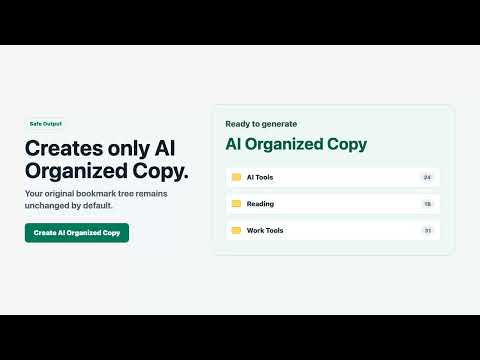
BookmarkFlow AI scans your Chrome bookmark metadata, shows a generated folder tree, and creates the organized result in Chrome. The default action creates or rebuilds a separate folder named BookmarkFlow Collection. Your original bookmarks are not moved, deleted, or overwritten. If you want to make manual adjustments, use chrome://bookmarks after generation and adjust the generated copy in Chrome's native bookmark manager. Current capabilities: - Scan Chrome bookmarks - Generate an AI-organized folder preview - Show bookmark titles, domains, and site icons under proposed folders - Use the Chrome side panel for quick operation - Open a wider full-page view for large bookmark previews - Use your own AI through Advanced settings - Create or rebuild BookmarkFlow Collection - Display the chrome://bookmarks address after generation for native Chrome review - Delete BookmarkFlow Collection and run again
0 out of 5No ratings
Details
- Version0.1.0
- UpdatedJuly 10, 2026
- Offered bysunyan3038
- Size99.12KiB
- LanguagesEnglish
- Developer
Email
sunyan3038@gmail.com - Non-traderThis developer has not identified itself as a trader. For consumers in the European Union, please note that consumer rights do not apply to contracts between you and this developer.
Privacy

BookmarkFlow AI has disclosed the following information regarding the collection and usage of your data. More detailed information can be found in the developer's privacy policy.
BookmarkFlow AI handles the following:
This developer declares that your data is
- Not being sold to third parties, outside of the approved use cases
- Not being used or transferred for purposes that are unrelated to the item's core functionality
- Not being used or transferred to determine creditworthiness or for lending purposes
Support
For help with questions, suggestions, or problems, visit the developer's support site