

Bookmark Previewer & Smart Organizer

Overview
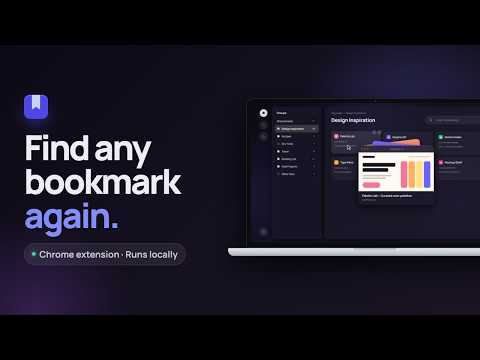
Preview sites before you click, search bookmarks by meaning, and keep your Chrome folders as they are. Runs locally.
You save links to read, try, or come back to later, and then can't find them when you need them. Bookmark Previewer turns your saved bookmarks into something you can actually browse and search, without changing how you've organized them. KEEP THE FOLDERS YOU ALREADY BUILT • Your Chrome bookmark folders appear exactly as they are, nested folders included • Rename, move, or delete bookmarks right from the dashboard, and the changes apply to your real Chrome bookmarks • Bookmarks that aren't inside any folder are collected in "Other links", so nothing gets lost SEE IT BEFORE YOU CLICK • Hover over any bookmark to see a live preview of the site • For sites that don't allow being shown inside another page, you see a preview card with the site's image and title instead SEARCH BY MEANING, NOT EXACT WORDS • Type what you remember, like "site for picking color palettes", and find the right bookmark even if its title uses different words • Search inside one folder, or across all of them MAKE IT YOURS • Give each folder its own color and emoji so you can spot it at a glance • Light and dark mode PRIVATE BY DESIGN • Everything runs on your device • No account, no sign-up, no cloud, no subscription • Your bookmarks are never sent to any server HOW IT WORKS Click the extension icon to open your bookmark dashboard. The first time, the extension downloads a small search model, about 25 MB and only once, so it can understand what your bookmarks are about. After that, search works entirely on your computer.
0 out of 5No ratings
Details
- Version0.1.1
- UpdatedOctober 7, 2026
- Offered byfatimahalamoudi
- Size5.39MiB
- LanguagesEnglish
- Developer
Email
fatimahalamoudi25@gmail.com - Non-traderThis developer has not identified itself as a trader. For consumers in the European Union, please note that consumer rights do not apply to contracts between you and this developer.
Privacy

This developer declares that your data is
- Not being sold to third parties, outside of the approved use cases
- Not being used or transferred for purposes that are unrelated to the item's core functionality
- Not being used or transferred to determine creditworthiness or for lending purposes