

Bookmark Dashboard

Overview
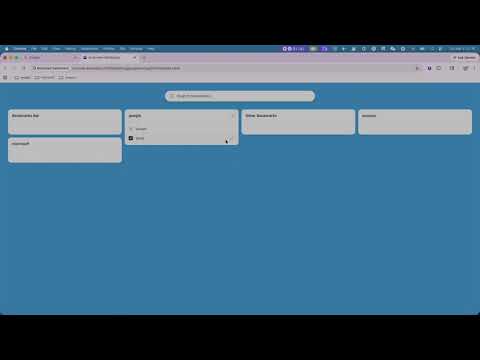
A stunning bookmark dashboard similar to Start.me
Bookmark Dashboard Chrome Extension Tutorial | Masonry Bookmark Management, Drag & Drop Sorting, Quick Edit, Folder Creation In this video, I walk through how to use Bookmark Dashboard to manage Chrome bookmarks with a clean card-based layout: fixed 4-column masonry view, card drag-and-drop, item drag-and-drop, bookmark editing, quick folder creation, and search. What you’ll learn: 1. How to manage bookmark folders in card view 2. How to drag and reorder bookmarks across cards 3. How to edit title, URL, and folder from the item edit button 4. How to quickly create folders (default: Bookmarks Bar) 5. Practical usage tips and common issues If this tutorial helps, please like and subscribe. I’ll keep sharing updates and workflows for this extension. #ChromeExtension #Bookmarks #Productivity
0 out of 5No ratings
Details
- Version1.0.1
- UpdatedApril 1, 2026
- Offered bysq892246139
- Size113KiB
- LanguagesEnglish
- Developer
Email
sq892246139@gmail.com - Non-traderThis developer has not identified itself as a trader. For consumers in the European Union, please note that consumer rights do not apply to contracts between you and this developer.
Privacy

This developer declares that your data is
- Not being sold to third parties, outside of the approved use cases
- Not being used or transferred for purposes that are unrelated to the item's core functionality
- Not being used or transferred to determine creditworthiness or for lending purposes
Support
For help with questions, suggestions, or problems, please open this page on your desktop browser