

Boltly Tools: Compress, Convert, PDF & Screen Recorder

Overview
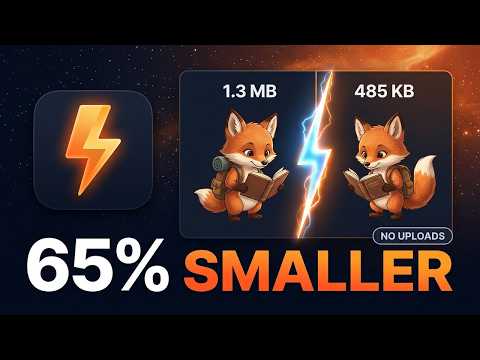
Compress and convert images and video, edit PDFs, record your screen. Runs on your device: no uploads, no sign-in.
Everyday file jobs, done on your own computer. Nothing is uploaded. Boltly Tools bundles the small utilities you keep searching for and usually have to upload files to a website to use. Here everything runs inside your browser: your photos, PDFs and videos never leave your device, and it even works offline. IMAGES - Compress JPG, PNG, WebP, AVIF files (PNG gets real colour-reduction, like TinyPNG) - Convert between WebP, JPG and PNG, resize, or hit a size limit like "under 100 KB" - Remove white backgrounds (logos, products, scans) with strength and edge-softness controls - Click any result to compare before and after VIDEO - Compress MP4/MOV/WebM with your computer's own video encoder (fast) - Convert to MP4 or WebM, trim, make GIFs, extract audio (M4A, MP3, WAV), mute, change speed PDF - Merge, split, reorder, rotate and delete pages - JPG/PNG to PDF and PDF to JPG/PNG - Compress PDFs (recompresses embedded pictures, and tells you honestly when there is nothing to gain) - Add page numbers and watermarks, and sign SCREEN RECORDER - Record your screen, a window or a tab, with microphone and a webcam bubble - No watermark and no time limit; trim, then save as WebM or MP4 MORE - QR code maker and scanner, HEIC to JPG, remove photo metadata (like GPS location), crop and rotate, watermark, icon and favicon generator PRIVACY No accounts, no uploads, no tracking, no analytics, and no permissions requested. Camera and microphone are asked for by your browser only if you turn them on in the recorder. A small "total saved" counter is kept only on your device. Notes: system-wide audio in the recorder works on Windows and ChromeOS; on Mac, Chrome can share a tab's audio. PNG compression reduces colours to save space. Open-source notices are in the extension (NOTICES.md).
0 out of 5No ratings
Details
- Version0.2.0
- UpdatedOctober 27, 2026
- Offered byZeroClick AI
- Size2.15MiB
- LanguagesEnglish (United States)
- DeveloperURVISH JANAKRAY BHATT
B424, Trillium Apartment Off Hosa Rd, Rayasandra Lake, CHIKKANAGAMANGALA Bangalore, Karnataka 560099 INEmail
zeroclick.tools@gmail.comPhone
+91 97255 59757 - TraderThis developer has identified itself as a trader per the definition from the European Union and committed to only offer products or services that comply with EU laws.
Privacy

This developer declares that your data is
- Not being sold to third parties, outside of the approved use cases
- Not being used or transferred for purposes that are unrelated to the item's core functionality
- Not being used or transferred to determine creditworthiness or for lending purposes
Support
For help with questions, suggestions, or problems, visit the developer's support site