


概述
从一个人工智能驱动的工作区,以您的品牌声线计划、编写、安排和发布社交媒体内容。
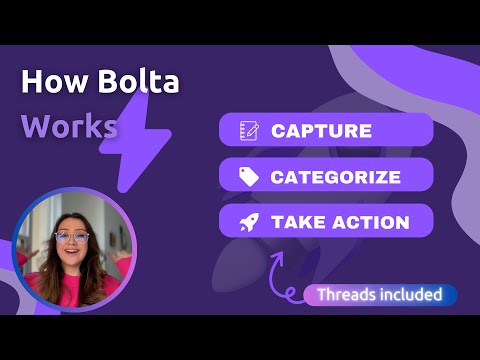
Stop juggling tools. Start posting effortlessly. Bolta.ai is an AI-powered social media operating system that helps creators, professionals, and teams plan, write, schedule, and publish content — without chaos. If your workflow currently looks like Notes + ChatGPT + Notion + schedulers + spreadsheets, Bolta replaces it with one clean system. What You Can Do With Bolta 1.) Write in your brand voice - Train Bolta on your writing so AI-generated posts sound like you — consistent, natural, and on-brand. 2.) Schedule and publish content - Create posts, schedule them visually, and publish across multiple social platforms from one place. 3.) Crosspost effortlessly - Turn one idea into platform-ready posts without rewriting everything manually. 4.) Inbox-style approvals - Review, approve, or refine AI-generated drafts before they go live — perfect for teams and agencies. 5.) Organize ideas intelligently - Save ideas, drafts, and inspiration so nothing gets lost. 6.) Reduce mental load - Stop staring at blank boxes. Bolta prepares drafts so you can edit instead of starting from scratch. Built For • Creators and personal brands • Freelancers and consultants • Social media managers • Agencies and teams • Anyone who wants consistency without burnout Why Bolta Is Different Bolta is not just an AI writer. It is a workflow system. Instead of generating random content, Bolta helps you: • stay consistent • maintain brand voice • publish across platforms • work faster with less effort How It Works 1.) Connect your social accounts 2.) Train your brand voice 3.) Create or review AI-generated posts 4.) Schedule, approve, and publish That’s it. Supports all major social platforms, Privacy & Trust Your content stays private. Bolta only acts on what you explicitly approve.
4.5 星(5 星制)16 个评分
详情
隐私权

“Bolta - AI Social Media Copilot”已就收集和使用用户数据披露了以下信息。 如需了解详情,请查看开发者的privacy policy。
Bolta - AI Social Media Copilot会处理以下数据:
该开发者已声明,您的数据:
- 不会因未获批准的用途出售给第三方
- 不会为实现与产品核心功能无关的目的而使用或转移
- 不会为确定信用度或放贷目的而使用或转移
支持
若有任何疑问、建议或问题,请在桌面浏览器中打开此页面