


Overview
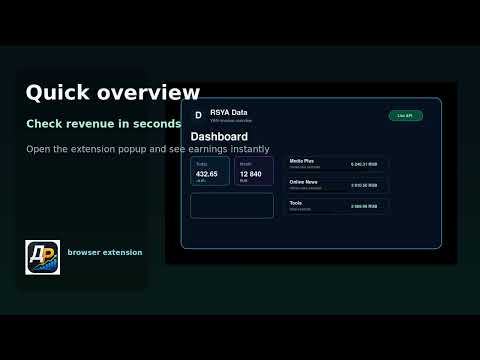
Yandex revenue dashboard: day, month, year, sites, apps and ad blocks.
RSYA Data is a browser extension for partners of the Yandex Advertising Network who want to check revenue without constantly opening the partner dashboard. Open the popup from the toolbar to see revenue for today, yesterday, the current month, the previous month and the current year. The extension groups statistics by sites, apps and ad blocks, so it is easier to see which projects and placements bring the most income. A 30-day chart is available for selected rows, and automatic refresh keeps the numbers current in the popup and in the background. Main features: - revenue overview directly in the browser toolbar; - day, month and year totals in one compact dashboard; - separate site/app and ad block views; - 30-day detail charts for selected sites and blocks; - Yandex OAuth connection with manual token entry as a fallback; - support for several connected accounts; - demo mode before connecting a real account; - light and dark themes. Best for: - site and app owners in the Yandex Advertising Network; - managers who check monetization and revenue dynamics regularly; - teams that need quick control over ad blocks without extra browser tabs. Data and privacy: The extension sends requests directly to the official Yandex Partner statistics API. The OAuth token and cached statistics are stored locally in extension storage. A third-party backend is not used for statistics processing. Additional capabilities: - Day revenue: Show day revenue. - Month revenue: Show month revenue. - Year revenue: Show year revenue. - Products and apps: Group revenue by products, sites, or apps. - Get token: Connect through Yandex OAuth. - Save token: Paste and save an OAuth token manually when automatic connection is not available. - Demo data: Open demo data before connecting a real account. - Auto refresh: Refresh popup statistics automatically when enabled. - 30-day total: Show total revenue for the chart period. - Avg/day: Show average daily revenue for the chart period. - Best day: Show the best day in the chart period. - Light theme: Switch between light and dark popup themes. Export the loaded revenue summary, products and advertising blocks as CSV for further analysis. The export includes only statistics and never includes account tokens. Build, compare and export your statistics Reports: YAN statistics, Mobile mediation, DSP partners, SSP partners. Report settings: Period, Metrics, Group by, Currency, Time zone, Include VAT, Filter. Compare with previous period. Trend · Data table. Export: CSV, TSV, JSON, HTML → PDF. Saved reports. Only report settings are saved locally, not the fetched data. Yandex Distribution. Special reports require access in your Yandex account.
5 out of 51 rating
Details
- Version1.2.1
- UpdatedNovember 14, 2026
- Size683KiB
- Languages57 languages
- DeveloperWebsite
Email
veselov.anton@gmail.com - Non-traderThis developer has not identified itself as a trader. For consumers in the European Union, please note that consumer rights do not apply to contracts between you and this developer.
Privacy

This developer declares that your data is
- Not being sold to third parties, outside of the approved use cases
- Not being used or transferred for purposes that are unrelated to the item's core functionality
- Not being used or transferred to determine creditworthiness or for lending purposes
Support
For help with questions, suggestions, or problems, please open this page on your desktop browser