

Scrolling Screenshot & Full Page Capture

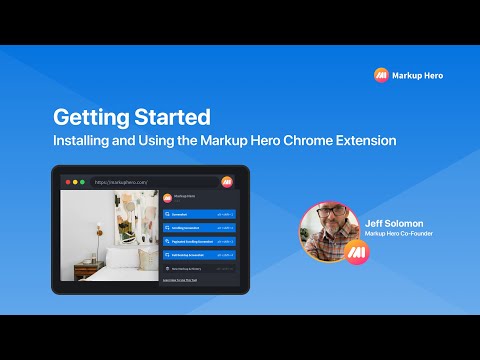
Descripción general
Capture long websites. Upload PDF's. 20+ annotation tools. Crop, export, share links. 5+ screenshot modes. Edit forever.
✨ The Ultimate Screenshot & Annotation Tool ✨ ➤ Long webpage screenshot capture 🔥 ➤ All features included in free version 🔥 ➤ Save and edit annotations forever 🔥 ➤ Over 100K users love this tool 🔥 Markup Hero is the only tool that offers multi-page scrolling screenshots for ultra-long websites – a problem other tools can’t solve. No website is too long or too complicated to get the perfect scrolling screenshot. Capture, annotate, and share with powerful editing tools that are always accessible. 🆓 FREE FOREVER WITH PREMIUM OPTION ➤ Basic version is completely free ➤ no ads, no data selling, all features included ➤ Premium features is just $3/month ➤ unlimited screenshots and edit forever ✨ FIVE POWERFUL WAYS TO CAPTURE 1️⃣ Scrolling Screenshot – Capture entire webpages, even extra-long ones 2️⃣ Multi-Page Slicing – Break long screenshots into manageable pages 3️⃣ Selected Area – Capture just what you need 4️⃣ Full Desktop – Grab your entire screen 5️⃣ Upload & Edit – Work with existing images and PDFs 🛠️ COMPLETE ANNOTATION TOOLKIT ➤ 20+ markup tools including arrows, text, pen, highlighter, and signatures ➤ Blur sensitive info with one click ➤ Insert images or other screenshots ➤ Add multiple pages – reorder like a PDF 🔥🔥 ➤ Crop, rotate, and zoom with precision 🗂️ STAY ORGANIZED, SAVE & EDIT ANNOTATIONS ➤ All screenshots saved to your history ➤ Past markups can be edited forever 🔥🔥 ➤ Create folders and collections ➤ Title and search your screenshots ➤ Star favorites for quick access 🔗 SEAMLESS SHARING & COLLABORATION ➤ Instantly shareable links ➤ Expiring links for sensitive content ➤ Let others add annotations to your screenshots 🔥🔥 ➤ PDF export with one click ➤ Copy to clipboard for quick pasting 🔥 NEW: AI-POWERED SCREENSHOT FEATURES Extract text from any screenshot or image with just one click! More AI features coming soon, including background removal, image replacement, and text summarization. 👥 WHO USES MARKUP HERO? ➤ Product managers explaining features and collecting feedback ➤ Developers showcasing code and performing QA ➤ Designers creating comps and mockups ➤ Educators grading assignments and providing feedback ➤ Students completing coursework and asking questions ➤ Sales teams creating collateral and proposals ➤ Entrepreneurs… for literally everything! 🔌 USEFUL INTEGRATIONS ➤ Chrome Extension (this one!) ➤ Desktop App for Mac, Windows & Linux ➤ Slack App ➤ Google Drive ➤ Notion ➤ API for developers ✨ OVER 2 MILLION SCREENSHOTS TAKEN Join over 40,000 users who have made Markup Hero their go-to screenshot and annotation tool. Try it now – no account or credit card required to get started! 🔗 Visit https://markuphero.com for more info or to download our desktop app.
4,2 de 5124 valoraciones
Detalles
- Versión1.3.6
- Actualizado25 de abril de 2025
- Tamaño363KiB
- IdiomasEnglish (United States)
- DesarrolladorSitio web
Correo electrónico
support@markuphero.com - No operadorEste desarrollador no se ha identificado como operador. Los consumidores residentes en la Unión Europea deben tener en cuenta que los derechos de los consumidores no son aplicables a los contratos que suscriban con este desarrollador.
Privacidad

Este desarrollador declara que tus datos:
- No se venden a terceros, excepto en los casos de uso aprobados
- No se usan ni se transfieren para fines no relacionados con la función principal del elemento.
- No se usan ni se transfieren para determinar la situación crediticia ni para ofrecer préstamos.
Ayuda
Si tienes alguna pregunta, sugerencia o problema, visita el sitio de asistencia del desarrollador.