

BatchForce Video – Image to Video for Freepik

Overview
Generate videos and images from local files or prompts using AI tools on the Freepik website
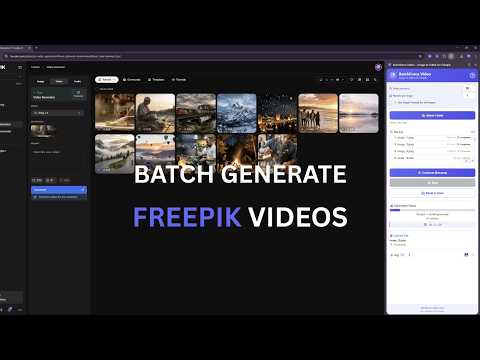
BatchForce Video helps you automate image-to-video generation directly on the Freepik website. Instead of generating videos one by one, BatchForce allows you to run batch workflows that automatically process multiple images and prompts. Start a batch, let it run while you focus on other work, and manage multiple generations more efficiently. Key Features • Batch generate videos from image folders • Unlimited images per batch • Flexible prompt options • Adjustable delay and repeat settings • Real-time generation progress tracking • Pause and resume batches anytime • Activity log with export option • Supports JPG, PNG, WebP and common image formats • No API key required — works directly with your Freepik account • Local processing — your files stay private • Compatible with Chrome, Edge, Brave and other Chromium browsers How It Works 1. Prepare your images for video generation 2. Open the Freepik video generator 3. Select your image folder inside BatchForce Video 4. Start a batch generation process 5. Review the generated results and download them manually on the Freepik website Privacy & Security BatchForce does not collect or store personal data. All processing happens locally in your browser and uses your own Freepik account. BatchForce is an independent tool and is not affiliated with or endorsed by Freepik.
0 out of 5No ratings
Details
- Version1.0.1
- UpdatedApril 20, 2026
- Offered byBatchForce
- Size50.59KiB
- LanguagesEnglish
- Developer
Email
support@batchforce.app - Non-traderThis developer has not identified itself as a trader. For consumers in the European Union, please note that consumer rights do not apply to contracts between you and this developer.
Privacy

This developer declares that your data is
- Not being sold to third parties, outside of the approved use cases
- Not being used or transferred for purposes that are unrelated to the item's core functionality
- Not being used or transferred to determine creditworthiness or for lending purposes
Support
For help with questions, suggestions, or problems, please open this page on your desktop browser