

Better D2L
2 ratings
)
Overview
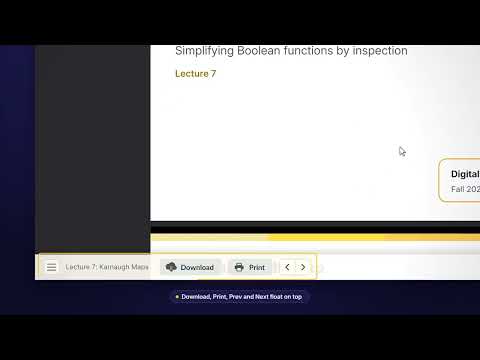
Full-page PDF focus mode for Waterloo LEARN: PDF fills the screen, nav auto-hides, plus a table-of-contents dropdown.
Better D2L turns a Brightspace/LEARN lecture page into a distraction-free, full-page PDF viewer. What it does: • Makes the embedded PDF fill the entire page, edge to edge • Auto-hides the Waterloo LEARN header/nav bar — hover the top edge of the screen to bring it back when you need it • Floats Download, Print, Previous, and Next over the bottom of the PDF instead of pushing content down • Adds a ☰ button that opens a compact table-of-contents dropdown, so you can jump straight to any lecture or unit without leaving the PDF view • Locks the page so only the PDF scrolls — no more fighting two separate scrollbars Only activates on the actual lecture/topic PDF viewer pages — your course's Overview/Home page and every other page are left untouched. Works on learn.uwaterloo.ca (Waterloo's Brightspace instance) only.
5 out of 52 ratings
Details
- Version1.3
- UpdatedSeptember 29, 2026
- Offered byOverclocked Builds
- Size27.17KiB
- LanguagesEnglish
- Developer
Email
joshspwu@gmail.com - Non-traderThis developer has not identified itself as a trader. For consumers in the European Union, please note that consumer rights do not apply to contracts between you and this developer.
Privacy

This developer declares that your data is
- Not being sold to third parties, outside of the approved use cases
- Not being used or transferred for purposes that are unrelated to the item's core functionality
- Not being used or transferred to determine creditworthiness or for lending purposes