


Genel bakış
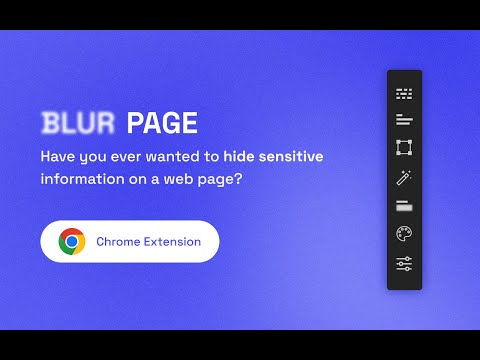
Hide sensitive information on page
This BlurPage extension provides a different ways to hide any information on the page without leaving your Chrome. It allows you to hide anything on your screen including: 1. Hide multiple words You can hide multiple words in the same or different paragraphs 2. Hide multiple lines It is easy to hide multiple lines at the same time 3. Hide an area You can create an area that you want to hide everything behind 4. Hide an element This is the easiest way to hide an element. Just click a magic icon in the toolbar, and hover on any element on the page There are different effects that you can apply for an area or multiple areas: 1. Blur Make existing areas blurry. It also provides the ability of changing the level of blur 2. Redact Redact areas with different colors 3. Mask Replace text with asterisks In addition to that, BlurPage provides a smart way to manage the areas. 1. Persists areas Prepare areas and reload the browsers by accident! Don't worry, the areas are still there and ready to be blurred! 2. Do more Apply an effect to multiple areas at the same time For more information on the extension, you can visit its official website at https://blur.page
5 üzerinden 13 puan
Ayrıntılar
- Sürüm2.0.0
- Güncellenme tarihi:8 Eylül 2022
- Boyut55.25KiB
- DillerEnglish
- GeliştiriciWeb sitesi
E-posta
me@phuoc.ng - Tacir olmayanBu yayıncı kendisini tacir olarak tanımlamamış. Avrupa Birliği'ndeki tüketiciler açısından bakıldığında, bu geliştiriciyle yapmış olduğunuz sözleşmelerde tüketici haklarının geçerli olmadığını lütfen unutmayın.
Gizlilik

Bu geliştirici, verilerinizle ilgili olarak aşağıdakileri beyan eder:
- Onaylanan kullanım alanları dışında üçüncü taraflara satılmaz
- Öğenin temel işleviyle alakasız amaçlar için kullanılmaz ya da aktarılmaz
- Kredibilitenin belirlenmesi veya borç verme amaçlarıyla kullanılmaz ya da aktarılmaz
Destek
Sorular, öneriler veya sorunlarla ilgili yardım için lütfen bu sayfayı masaüstü tarayıcınızda açın