

Blur me! — Blur Screen, Emails & API Keys
1 rating
)
Overview
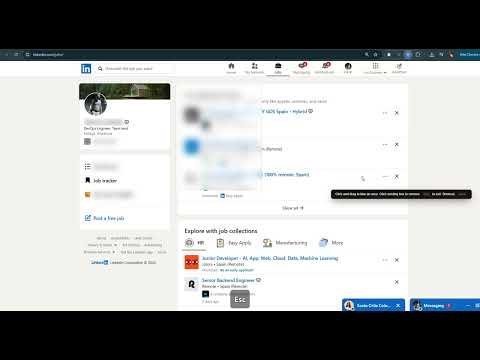
Hide & blur emails, prices, API keys or sensitive text in 1 click. Smart element blur for safe screen sharing & recording. Private.
"Blur me!" is a lightweight, privacy-first extension to instantly hide sensitive information on any webpage. Designed specifically for video creators, QA testers, customer support reps, bloggers, and sales managers who frequently share screens on Zoom, Google Meet, Microsoft Teams, or record videos via Loom. KEY FEATURES: • Unlimited: Access all features—including advanced automated shielding and area blur—without any subscriptions, accounts, or hidden paywalls. • Select Element to Blur: Click any page element (text, image, button, block) to instantly hide it. • Area Blur: Simply draw a rectangle over any region (charts, tables, ads) to mask it. Click an existing box in Area Mode to remove it. • Auto-Blur Emails: Automatically detects and hides email addresses on the page. • Auto-Blur Prices & Phones: Detects and blurs currency amounts ($/€/₽/£) and phone numbers. • Auto-Blur API Keys & Secrets: Safely masks tokens, passwords, AWS, Slack, GitHub secrets, and JWTs. • Blur All Images: Hides user avatars, photos, and logos in one click. • Keyboard Shortcuts: Activate modes quickly without opening the popup: Alt+Q for element selection and Alt+A for area blur. WHY CHOOSE "BLUR ME!"? • Fully Supports Complex Sites (LinkedIn, YouTube, Gmail): Unlike simpler extensions, our element and area blur smoothly follow scroll movements even inside complex nested scrolling containers on highly dynamic platforms. • Anti-Flicker Protection: By injecting styles at the earliest page load stage (document_start), blocked data never flashes when refreshing the tab. • Privacy-First Design: The extension works 100% locally in your browser. It has no external servers, and it does not collect or transmit your data. • On-Demand Permissions: We do not request access to all of your websites on install. You grant permission with a single click only on pages you want to blur. • SPA Compatibility: Optimized MutationObserver scans only newly added DOM nodes, preventing crashes in modern web apps (React, Vue, Angular) and keeping pages responsive.
5 out of 51 rating
Details
- Version1.9.0
- UpdatedJuly 2, 2026
- Offered byDChekh
- Size40.3KiB
- Languages8 languages
- Developer
Email
dmitry.chekh@gmail.com - Non-traderThis developer has not identified itself as a trader. For consumers in the European Union, please note that consumer rights do not apply to contracts between you and this developer.
Privacy

This developer declares that your data is
- Not being sold to third parties, outside of the approved use cases
- Not being used or transferred for purposes that are unrelated to the item's core functionality
- Not being used or transferred to determine creditworthiness or for lending purposes
Support
For help with questions, suggestions, or problems, please open this page on your desktop browser