


Overview
Instantly censor passwords, emails and sensitive data before sharing your screen on Zoom, Google Meet, or Loom. No video editing.
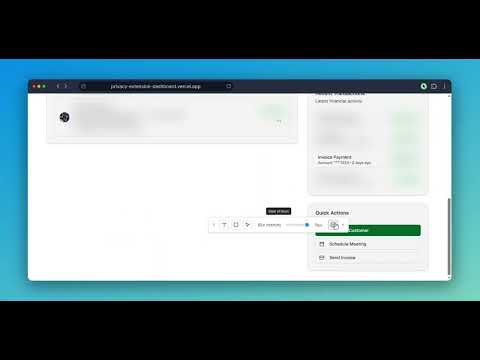
Instantly blur sensitive data on any page. Perfect for screen sharing, demos, and tutorials. Hide text, images, forms, or draw blur boxes on a webpage with ease. Blur It is the emergency privacy tool for live presentations. Don't panic when you realize customer data is on your screen during a Zoom meeting or Google Meet. Hover over the text, click, and it's blurred instantly. No video editors, no post-production, no accidental data leaks. Join 400+ professionals protecting sensitive data during live demos and presentations. ⚡️ BUILT FOR LIVE SCREEN SHARING ✔ One-Click Blur: Hover over any email, API key, or account balance and click. It's hidden instantly. ✔ Smart Blur: Auto-detect and redact emails, dollar amounts, and phone numbers across the whole page. ✔ Draw a Box: Drag a rectangle over complex charts, images, or UI elements to cover them completely. ✔ Persistent Privacy: Blurs stay active even after page reloads. Set them up before your meeting and forget about it. ✔ Adjustable Intensity: Soft blur for context, solid block when zero data should leak. ✔ Keyboard Shortcut: Ctrl+Shift+S (Cmd+Shift+S on Mac) toggles the selector fast. 🎯 WHO NEEDS THIS → Sales & CS reps demoing in Salesforce, HubSpot, or internal admin panels without exposing real customer accounts. → Recruiters sharing candidate pipelines and compensation data on screen shares. → Content creators recording Loom tutorials or streaming live without flashing private inboxes, DMs, or API keys. → Teachers and trainers building tutorials without leaking personal info. 🔒 PRIVATE BY DESIGN Blur It is a local-only extension. Everything happens in your browser. We never see, store, or transmit the content you redact. No cloud servers. No telemetry on what you blur. Zero-latency local processing. 💰 PRICING → Yearly Access: $39 yearly plan → Lifetime Access: $49.99 one-time, own it forever. Questions or feedback? Email us at support@blur-it.app
4.1 out of 515 ratings
Details
- Version10.8.7
- UpdatedAugust 19, 2026
- FeaturesOffers in-app purchases
- Size94.98MiB
- LanguagesEnglish
- Developer
- Non-traderThis developer has not identified itself as a trader. For consumers in the European Union, please note that consumer rights do not apply to contracts between you and this developer.
Privacy

Blur It - Hide PII on Screen Shares has disclosed the following information regarding the collection and usage of your data. More detailed information can be found in the developer's privacy policy.
Blur It - Hide PII on Screen Shares handles the following:
This developer declares that your data is
- Not being sold to third parties, outside of the approved use cases
- Not being used or transferred for purposes that are unrelated to the item's core functionality
- Not being used or transferred to determine creditworthiness or for lending purposes
Support
For help with questions, suggestions, or problems, please open this page on your desktop browser