


Overview
Instantly censor passwords, emails and sensitive data before sharing your screen on Zoom, Google Meet, or Loom. No video editing.
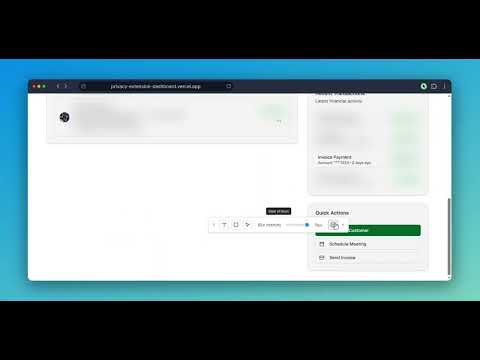
Blur It is a privacy tool for live screen sharing. Hover over an email, API key, account balance or customer name, click, and it is hidden before anyone sees it. Use it in meetings, calls, recordings, product demos, training sessions and tutorials. No video editing, no post-production. HOW IT PROTECTS YOUR SCREEN ✔ One-Click Blur: Hover over any email, API key or account balance and click. ✔ Draw a Box: Drag over charts, images or UI elements to cover them completely. ✔ Smart Blur: Auto-detect and redact emails, dollar amounts and phone numbers across the whole page. ✔ Saved Blurs: Blurs come back when you reload the same page, so set up before your meeting. ✔ Adjustable Intensity: Soft for context, or a solid block when nothing should show. ✔ Keyboard Shortcut: Ctrl+Shift+S (Cmd+Shift+S on Mac). WHO USES IT → Sales and customer success reps demoing in Salesforce, HubSpot or internal admin panels without exposing real accounts. → Recruiters sharing candidate pipelines and pay data. → Creators recording tutorials or streaming without flashing inboxes, DMs or API keys. → Trainers and teachers who need to hide personal info while teaching. PRIVATE BY DESIGN What you hide stays in your browser. Blur It does not read or send the content of the pages you blur. 💰 PRICING → Monthly Access: $4.99 yearly plan → Lifetime Access: $49.99 one-time, own it forever. Questions or feedback? Email us at support@blur-it.app
4.1 out of 516 ratings
Details
- Version10.9.2
- UpdatedOctober 10, 2026
- FeaturesOffers in-app purchases
- Size94.99MiB
- Languages12 languages
- Developer
- Non-traderThis developer has not identified itself as a trader. For consumers in the European Union, please note that consumer rights do not apply to contracts between you and this developer.
Privacy

Blur It has disclosed the following information regarding the collection and usage of your data. More detailed information can be found in the developer's privacy policy.
Blur It handles the following:
This developer declares that your data is
- Not being sold to third parties, outside of the approved use cases
- Not being used or transferred for purposes that are unrelated to the item's core functionality
- Not being used or transferred to determine creditworthiness or for lending purposes
Support
For help with questions, suggestions, or problems, please open this page on your desktop browser